It is currently Wed Sep 16, 2026 10:15 am


All times are UTC - 5 hours [ DST ]


Post new topic Reply to topic  [ 16 posts ] 
Author Message
 Post subject: Need some help with brushes
PostPosted: Sat Dec 25, 2010 10:09 am  (#1) 
Offline
GimpChat Member

Joined: Oct 28, 2010
Posts: 166
Ok I making some of my 1 inch images....I'm using different plaid backgrounds.so all have the backgrounds on them...then i'm trying to put a owl brush on them...when I go to fill in...the owl is transparent and being able to see thru it...the fill is just trying to fill in pieces...I need the sections of the owl filled in..like the eyes, beak..etc etc..is there some way I can do this? I played with it for over 2 hrs last nite and could not figure it out.

Please and Thank you
M


Share on Facebook Share on Twitter Share on Orkut Share on Digg Share on MySpace Share on Delicious Share on Technorati
Top
 Post subject: Re: Need some help with brushes
PostPosted: Sat Dec 25, 2010 11:34 am  (#2) 
Offline
GimpChat Member
User avatar

Joined: Apr 07, 2010
Posts: 14182
Are you using bucket fill. If so did you click fill whole selection? if not, it will only fill bits and pieces, also do you have the fill transparent areas checked? Your prob might be that. also make sure you select pattern fill if you are using a patter OR FG if you are using the foreground color....

_________________
Image


Top
 Post subject: Re: Need some help with brushes
PostPosted: Sat Dec 25, 2010 11:56 am  (#3) 
Offline
GimpChat Member

Joined: Oct 28, 2010
Posts: 166
ok I will try those and see if it helps..:)

thank you


Top
 Post subject: Re: Need some help with brushes
PostPosted: Sat Dec 25, 2010 12:28 pm  (#4) 
Offline
GimpChat Member

Joined: Oct 28, 2010
Posts: 166
ok I try all..below is a couple of pics. In the first one you can see i'm trying to do as a image then copy and paste back onto main sheet.. In 2 nd sheet..is the owl, I'm trying to fill the eyes, and part of the tummy...if I have the sitting on fill whole selection..it fills all of the page..not what I need. does that make sense?
Attachment:
plaid1.JPG
plaid1.JPG [ 154 KiB | Viewed 3356 times ]


Attachments:
plaid2.JPG
plaid2.JPG [ 153.96 KiB | Viewed 3356 times ]
Top
 Post subject: Re: Need some help with brushes
PostPosted: Sat Dec 25, 2010 1:34 pm  (#5) 
Offline
GimpChat Member
User avatar

Joined: Apr 07, 2010
Posts: 14182
I probably don't know the best way to do this but I would use the ellipse select tool to select the eye, filll it with black, then duplicate it and move the duplicate over to the other eye. or you can outline the part you want filled with your bezier tool and use that as your selection. In other words, just select what you want filled .....

_________________
Image


Top
 Post subject: Re: Need some help with brushes
PostPosted: Sat Dec 25, 2010 1:38 pm  (#6) 
Offline
GimpChat Member
User avatar

Joined: Oct 06, 2010
Posts: 4050
A couple of questions:

1. Can you provide a copy of the owl brush?
2. Want the eyes filled with white, the beak and talons to be a yellowish-orange?

_________________
"In order to attain the impossible, one must attempt the absurd."
~ Miguel de Cervantes


Top
 Post subject: Re: Need some help with brushes
PostPosted: Sat Dec 25, 2010 1:41 pm  (#7) 
Offline
GimpChat Member

Joined: Oct 28, 2010
Posts: 166
mahvin wrote:
A couple of questions:

1. Can you provide a copy of the owl brush? If you tell me how to do that I can try.
2. Want the eyes filled with white, the beak and talons to be a yellowish-orange?
yes thats fine..:)


Top
 Post subject: Re: Need some help with brushes
PostPosted: Sat Dec 25, 2010 1:42 pm  (#8) 
Offline
GimpChat Member

Joined: Oct 28, 2010
Posts: 166
molly wrote:
I probably don't know the best way to do this but I would use the ellipse select tool to select the eye, filll it with black, then duplicate it and move the duplicate over to the other eye. or you can outline the part you want filled with your bezier tool and use that as your selection. In other words, just select what you want filled .....


bezier tool? is that the fuzzy wane? if so I have tried that..I also have tried the ellipse also.


Top
 Post subject: Re: Need some help with brushes
PostPosted: Sat Dec 25, 2010 1:52 pm  (#9) 
Offline
Global Moderator
User avatar

Joined: May 16, 2010
Posts: 16173
Quote:
bezier tool? is that the fuzzy wane? if so I have tried that..I also have tried the ellipse also.

This "bezier tool" - is the Paths tool. :pathtool

_________________
Image


Top
 Post subject: Re: Need some help with brushes
PostPosted: Sat Dec 25, 2010 1:55 pm  (#10) 
Offline
GimpChat Member
User avatar

Joined: Oct 06, 2010
Posts: 4050
Can you attach a copy of the owl?

_________________
"In order to attain the impossible, one must attempt the absurd."
~ Miguel de Cervantes


Top
 Post subject: Re: Need some help with brushes
PostPosted: Sat Dec 25, 2010 3:33 pm  (#11) 
Offline
GimpChat Member

Joined: Oct 28, 2010
Posts: 166
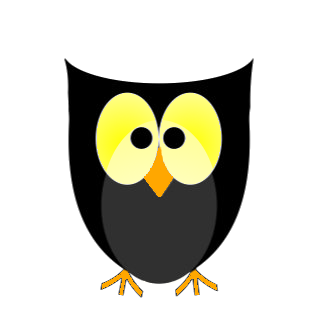
Like this? I did it on transparent background but it turned white when I saved as jpeg. Well I decided to try 1 more thing..after I did this and saved it..I opened it, put the colors where I needed..it worked...colored back to alpha then put it on my little image and it worked...:)
Attachment:
owl.jpeg
owl.jpeg [ 7.2 KiB | Viewed 2432 times ]


Top
 Post subject: Re: Need some help with brushes
PostPosted: Sat Dec 25, 2010 4:38 pm  (#12) 
Offline
Retired Staff
User avatar

Joined: May 22, 2008
Posts: 6946
Location: Somewhere in GIMP
That's cute micki. If you want to keep the transparent background, do not save it as a jpeg. It either needs to be GIMP's native format, xcf, or png. A gif format would work but the quality would be low.

_________________
Image
World War IV will be fought with sticks and stones. - Albert Einstein


Top
 Post subject: Re: Need some help with brushes
PostPosted: Sat Dec 25, 2010 4:50 pm  (#13) 
Offline
GimpChat Member

Joined: Aug 27, 2010
Posts: 491
Image


Top
 Post subject: Re: Need some help with brushes
PostPosted: Sat Dec 25, 2010 4:52 pm  (#14) 
Offline
Retired Staff
User avatar

Joined: May 22, 2008
Posts: 6946
Location: Somewhere in GIMP
Perfect! That's so cute. :mrgreen:

_________________
Image
World War IV will be fought with sticks and stones. - Albert Einstein


Top
 Post subject: Re: Need some help with brushes
PostPosted: Sat Dec 25, 2010 4:59 pm  (#15) 
Offline
GimpChat Member

Joined: Oct 28, 2010
Posts: 166
Mike wrote:
Image


Needs a tutorial on how that was done...:) and yes I save all the tutorials you guys do for me..:)


Top
 Post subject: Re: Need some help with brushes
PostPosted: Sun Dec 26, 2010 2:38 am  (#16) 
Offline
Global Moderator
User avatar

Joined: May 16, 2010
Posts: 16173
That is a cute little owl. =)

_________________
Image


Top
Post new topic Reply to topic  [ 16 posts ] 

All times are UTC - 5 hours [ DST ]


* Login  


Powered by phpBB3 © phpBB Group