Onkel Hatti wrote:
Hi Caz.
I made it the following way:
After configure, gimp tells, which features are turned on with the current library configuration.
I tried to switch on as many as I could. Watch the configure process and you will see, what configure
complains about missing libraries.
And a hint: for "compressor" you need libz, libbz and liblzma, that is not clear during the configure process.
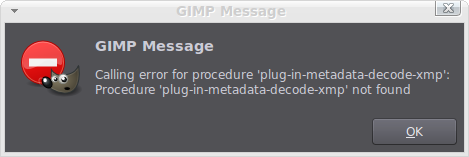
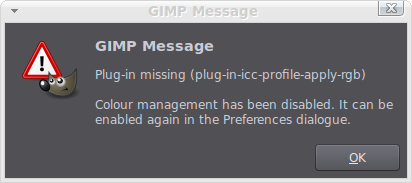
I have managed to turn on most of the features and was hoping that by running configuration, make install and make, that this would over write my existing installation of Gimp. It appears not to have and I'm still stuck with the same old error messages. Trouble is I can't find a way to remove Gimp before running the configuration and install process again. I tried 'sudo apt-get purge gimp' but terminal says that Gimp is not installed so can't be removed. Any ideas on how to remove Gimp would be much appreciated.
Here's a copy of the last few lines from my terminal output after running './configure' in case they are of any help.
Thanks for all the help with this.
Building GIMP with prefix=/usr/local, datarootdir=${prefix}/share
Desktop files install into ${datarootdir}
Extra Binaries:
gimp-console: yes
Optional Features:
D-Bus service: no
Language selection: yes
Optional Plug-Ins:
Ascii Art: no (AA library not found)
Compressor: no
Ghostscript: no (Ghostscript library not found)
Help Browser: yes
LCMS: yes
JPEG: yes
JPEG 2000: yes
MNG: yes
PDF (import): Using PostScript plug-in (libpoppler not found)
PDF (export): yes
PNG: yes
Print: yes
PSP: yes
Python: yes
Script-Fu: yes
SVG: yes
TIFF: yes
TWAIN (MacOS X): no
TWAIN (Win32): no
URI: yes (using GIO/GVfs)
Webpage: yes
Windows ICO: yes
WMF: yes
XJT: yes
X11 Mouse Cursor: yes
XPM: yes
Plug-In Features:
EXIF support: yes
Optional Modules:
ALSA (MIDI Input): no (libasound not found or unusable)
Linux Input: yes (GUdev support: no)
DirectInput (Win32): no
Color Correction: yes
Soft Proof: yes
Tests:
Use xvfb-run no (not found)
 Login
Login Register
 Tweets
 FAQ
FAQ Advanced Search




 and for the info on the changes to how Gimp closes down open images in this version.