It is currently Tue Sep 15, 2026 2:08 am


All times are UTC - 5 hours [ DST ]


Post new topic Reply to topic  [ 13 posts ] 
Author Message
 Post subject: Steampunk Embroidery
PostPosted: Sat Jul 06, 2013 5:57 am  (#1) 
Offline
Global Moderator
User avatar

Joined: May 16, 2010
Posts: 16173
Image

_________________
Image


Share on Facebook Share on Twitter Share on Orkut Share on Digg Share on MySpace Share on Delicious Share on Technorati
Top
 Post subject: Re: Steampunk Embroidery
PostPosted: Sat Jul 06, 2013 6:06 am  (#2) 
Offline
GimpChat Member
User avatar

Joined: Aug 16, 2012
Posts: 4271
Location: Göteborg, Sweden
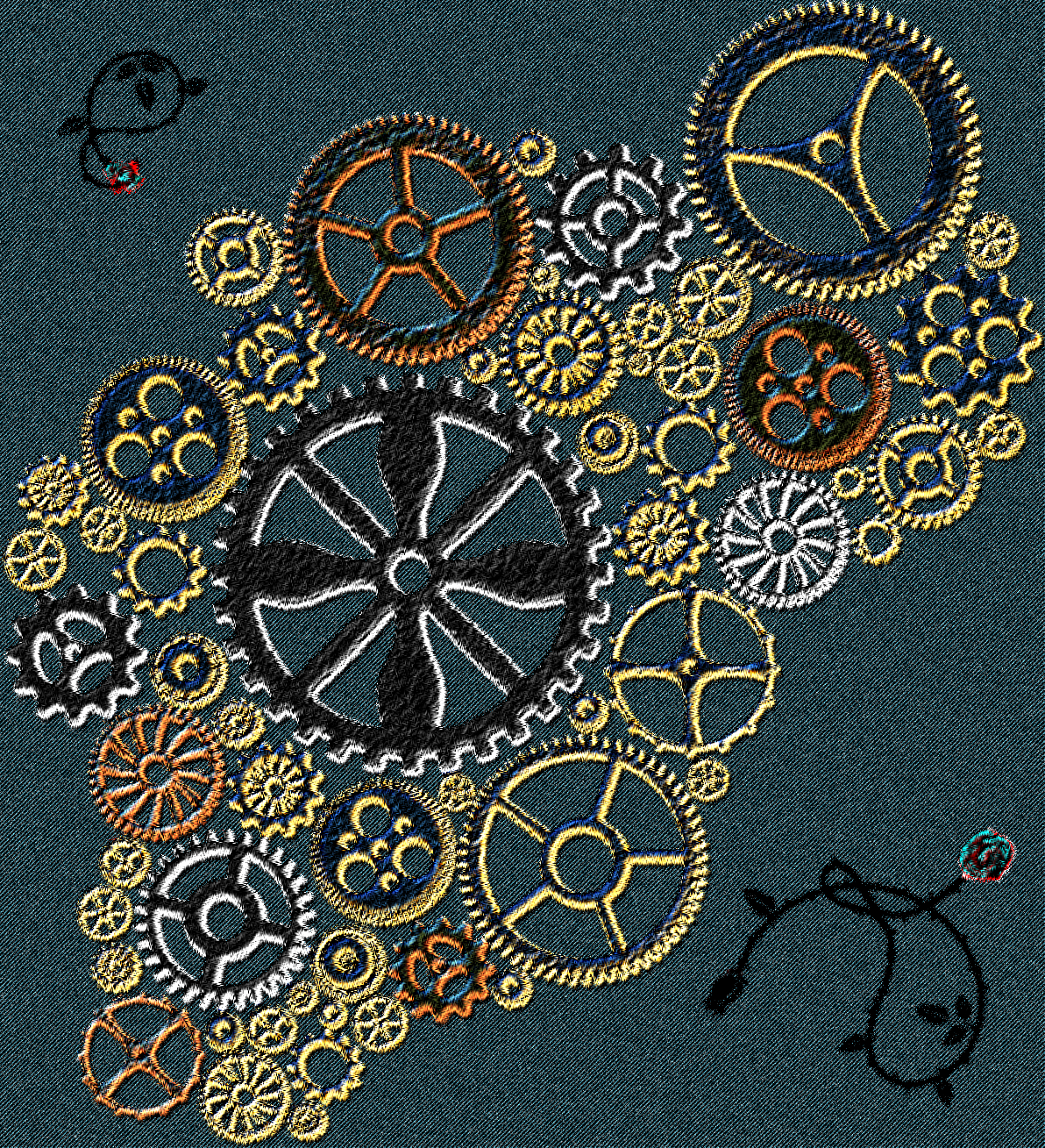
rod: wow, nice embroidery!! did you use a script for making this?

_________________


Top
 Post subject: Re: Steampunk Embroidery
PostPosted: Sat Jul 06, 2013 6:26 am  (#3) 
Offline
Global Moderator
User avatar

Joined: May 16, 2010
Posts: 16173
AnMal wrote:
rod: wow, nice embroidery!! did you use a script for making this?

Yes , it is one i wrote myself. You can find it here.
http://gimpscripts.com/2013/04/embroidery-stitcher/

The filter works best with multi-colored images. :)
After you install this script into your scripts folder you will find it at Filters>Artistic>Embroidery Stitcher.

_________________
Image


Top
 Post subject: Re: Steampunk Embroidery
PostPosted: Sat Jul 06, 2013 8:34 am  (#4) 
Offline
GimpChat Member
User avatar

Joined: Sep 24, 2010
Posts: 12845
Very cool result Rod. I even recognize the gears. lolol

:)

_________________
Lyle

Psalm 109:8

Image


Top
 Post subject: Re: Steampunk Embroidery
PostPosted: Sat Jul 06, 2013 9:48 am  (#5) 
Offline
GimpChat Member
User avatar

Joined: Jun 02, 2013
Posts: 2090
That looks awesome. Nice work.

_________________
Image


Top
 Post subject: Re: Steampunk Embroidery
PostPosted: Sat Jul 06, 2013 10:08 am  (#6) 
Offline
Retired Staff
User avatar

Joined: May 22, 2008
Posts: 6946
Location: Somewhere in GIMP
Very cool, Rod. It looks so real.

_________________
Image
World War IV will be fought with sticks and stones. - Albert Einstein


Top
 Post subject: Re: Steampunk Embroidery
PostPosted: Sat Jul 06, 2013 10:42 am  (#7) 
Offline
GimpChat Member
User avatar

Joined: Jul 17, 2012
Posts: 2769
great idea, Rod !

i've used te embroidery script in the past, its a nice effect


Top
 Post subject: Re: Steampunk Embroidery
PostPosted: Sat Jul 06, 2013 10:42 am  (#8) 
Offline
GimpChat Member
User avatar

Joined: Aug 16, 2012
Posts: 4271
Location: Göteborg, Sweden
rod: thanks! i have the script already, but i haven't been able to get something really good looking with it yet - too much black, no matter what i start with :(. i'm gonna keep trying til i get something as nice as this!

_________________


Top
 Post subject: Re: Steampunk Embroidery
PostPosted: Sun Jul 07, 2013 11:17 pm  (#9) 
Offline
GimpChat Member
User avatar

Joined: Jan 10, 2013
Posts: 863
Nice effect Rod, and super easy to use!
Thx! :tyspin

_________________
bbbbbbbbbbbImage
bbbbbbbbbbb Be patient, English is not my language.


Top
 Post subject: Re: Steampunk Embroidery
PostPosted: Sun Jul 07, 2013 11:20 pm  (#10) 
Offline
Global Moderator
User avatar

Joined: Apr 01, 2012
Posts: 8471
Location: On the other side of your screen
That is really cool

Is this the script that is best used with a denim or dark background?

I have used embroidery script on denim but not got such a great result.

_________________
Image
Free Fun Photo Editing & resources
Poems from the Lord
Gimp Newby
Gimp version 3.2.4 and GMIC-Qt 4.0.2 OS :- Windows 10 Home 64


Top
 Post subject: Re: Steampunk Embroidery
PostPosted: Sun Jul 07, 2013 11:29 pm  (#11) 
Offline
GimpChat Member
User avatar

Joined: Sep 22, 2012
Posts: 2089
Location: US
Awesome, Rod!
Very cool stuff!


Top
 Post subject: Re: Steampunk Embroidery
PostPosted: Mon Jul 08, 2013 6:22 am  (#12) 
Offline
Global Moderator
User avatar

Joined: May 16, 2010
Posts: 16173
Yes this script is basically hit and miss.
Some colors work real well and others may not. I find using shadows before running the script sometimes will work rather well. Inverting colors on an image before running the filter can also provide better results.

Here is text with a celtic art gradient (top to bottom) and a shadow with offset of 2, blur radius of 8, and opacity of about 75.Both shadow and text layers are merged together and the filter is then ran.
Image

After the filter notice how the shadow takes on the colors of the gradient?
Image

So you can see how using brighter colors with shadow increases better results. :)

Here i have selected the finished embroider layer and selected the black area with the color select tool.
Then i added a mask to this embroidered layer to make that area transparent. :)
I then created a new layer dropped it under the embroidered layer and filled that layer with a denim pattern.
This is zoomed 200% :bigthup You need now only touch up the embroidered layer and get rid of unwanted stitching areas.
Image

And the finished piece after a bit more masking.
Image

_________________
Image


Top
 Post subject: Re: Steampunk Embroidery
PostPosted: Mon Jul 08, 2013 7:44 am  (#13) 
Offline
GimpChat Member
User avatar

Joined: Jun 16, 2013
Posts: 107
That is really cool, the result is very real
Congratulations


Top
Post new topic Reply to topic  [ 13 posts ] 

All times are UTC - 5 hours [ DST ]


* Login  


Powered by phpBB3 © phpBB Group