It is currently Thu Sep 24, 2026 5:28 am


All times are UTC - 5 hours [ DST ]


Post new topic Reply to topic  [ 94 posts ]  Go to page Previous  1, 2, 3, 4, 5  Next
Author Message
 Post subject: Re: Creating a realistic gear in GIMP
PostPosted: Sun Sep 15, 2013 3:35 pm  (#61) 
Offline
GimpChat Member
User avatar

Joined: Jul 17, 2012
Posts: 2769
g_krishna1 wrote:
Hi Rod,
I need some guidance from you about how to smooth/Sharpen the edges of an image that I cut from a image and reduced the size. Now the edges are looking teethy in the retina display. I followed few tutorials to make it smooth but still not good enough. If you can point me to some tutorials it would help me a lot.

Thanks
Krishna

im not Rod but you should try doing stuff like this in a vector based prgram like Inkscape
its a lot easier to do gears and you can scale it any way you want


Top
 Post subject: Re: Creating a realistic gear in GIMP
PostPosted: Mon Sep 16, 2013 1:35 am  (#62) 
Offline
GimpChat Member

Joined: Aug 19, 2013
Posts: 14
Thanks a lot Esper. I will try Inkscape. However this time i have a custom created gimp image file which has a rough edges. And I want to smooth the edges. Can still edit gimp files in Inkscape?

Thanks
Krishna


Top
 Post subject: Re: Creating a realistic gear in GIMP
PostPosted: Mon Sep 16, 2013 5:24 am  (#63) 
Offline
GimpChat Member
User avatar

Joined: Aug 16, 2012
Posts: 4271
Location: Göteborg, Sweden
krishna: you won't be able to edit gimp files in inkscape, but you will be able to export any paths made in gimp to inkscape, if you want to. however, i think it should be possible to get a good looking result by editing your existing gimp file, instead of doing the whole job over again in inkscape. can you tell us what methods you have already tried for smoothing the result so we won't give you the same tips over again?

_________________


Top
 Post subject: Re: Creating a realistic gear in GIMP
PostPosted: Mon Sep 16, 2013 6:51 am  (#64) 
Offline
GimpChat Member

Joined: Aug 19, 2013
Posts: 14
First of all thank for your kind helping hand.

I tried Gussian Blur, Select->sharpen, Select->Feather. But non of these helped me. I have couple of images of ship propellers (downloaded from internet) which i want to edit for smoothening. I have attached one of the image here. (the .gif is downloaded and after resizing exported to .png file which has more rough edges)

Please help!!!

Thanks
Krishna


Attachments:
File comment: before resizing
Prop-Trans.gif
Prop-Trans.gif [ 30.36 KiB | Viewed 5346 times ]
File comment: After resizing
Prop-Trans.png
Prop-Trans.png [ 10.83 KiB | Viewed 5346 times ]
Top
 Post subject: Re: Creating a realistic gear in GIMP
PostPosted: Mon Sep 16, 2013 8:39 am  (#65) 
Offline
GimpChat Member
User avatar

Joined: Aug 16, 2012
Posts: 4271
Location: Göteborg, Sweden
g_krishna1:
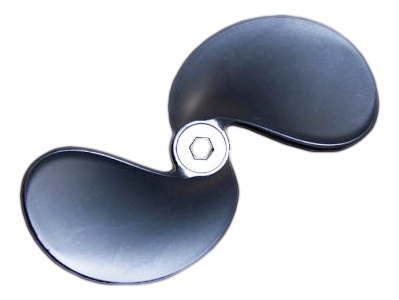
okay. i didn't like the look of that png one bit, so i worked from your gif and made a smoothed png. i tested the png in different smaller sizes and i still think it looks good enough - of course, i don't know what requirements you have of the result, but i think using the techniques i used here you could also get better results.
Image

i started by duplicating the original layer and putting the gaussian blurred copy under the original layer. then i gaussian blurred the copy by 10 px (both directions). after that i went into the colour menu and under curves i chose to make an alpha curve. i then experimented on that alpha curve til i got edges that looked smooth and tight and not jagged. then i made an alpha to selecion of that copy layer, i shrank the selection by 2 px and feathered it by two. i then selected the original layer again, inverted the selection and cut it off. that gave me a propeller with the sharpness in detail of the original layer but the smoothed edges of the gaussian blurred copy. the next step (and here i think you could do much better than i have, it takes a bit of time and patience) was to make some of the jagged edges inside the actual drawing look smoother. first i made a copy of what i had so far on a new layer and duplicated that copy. then i went into g'mic (don't know if you have the g'mic plugin? if you don't you might want to get it, it's really good for repair work among other things!) and under "repair" i chose "smooth (anisotropic)". i changed nothing in the menu except for the "amplitude" and "anisotropic" sliders, and i just moved those two upwards a little. that gave me a propeller without the jagged look of the shadows and highlights. on the other hand, the anisotropic copy looked a bit too smooth and the detail was a bit lost, so i did this: 1. alpha selected the first (unsmoothed) copy layer. 2. selected the smoothed layer again and made a layer mask from the selection, then turned the selection off. 3. with a small soft paintbrush with black fg colour painted out the parts that i wanted transparent on the smoothed layer. for example, the nave of the propeller didn't look good on the smoothed layer, so i made those parts transparent to show the unsmoothed layer underneath. i can see now that the unsmoothed layer was a bit too jagged around the nave, so i could have made those parts semi-transparent on the smoothed layer instead.

i think it takes a bit of tlc if you want to make a nice, smooth looking png out of a gif, but you should be able to get there!

_________________


Top
 Post subject: Re: Creating a realistic gear in GIMP
PostPosted: Mon Sep 16, 2013 9:33 am  (#66) 
Offline
GimpChat Member
User avatar

Joined: Jun 24, 2010
Posts: 504
Location: Western Vic Australia
AnMal, very good result.

_________________
Image


Top
 Post subject: Re: Creating a realistic gear in GIMP
PostPosted: Mon Sep 16, 2013 12:23 pm  (#67) 
Offline
GimpChat Member

Joined: Aug 19, 2013
Posts: 14
Thanks a million Anmal. This site is filled with genius professionals..proved.

I tried to follow your steps on another copy. But being myself a starter in GIMP, I just could not proceed at the Alpha curve. I just can not figure it out what and how to move the curves to get a smooth line. Infact it might be showing in the preview but like dumb i just struggled there. Then I skipped this alpha curve and proceed further. But again I puzzled where you said you selected the original layer, inverted and cut it off... i could not figure it out... I know its quite difficult to follow and copy the GIMP Masters.

So at last I quit the idea of cooking it myself. And I just grabbed your served meal...

Your modified work is perfect for me. And it doesnt show curvy edges on resizing... In my upcoming IOS app this i used (200x151).

Once again thanks a lot. You people are wonderful and always do the magics..

Krishna


Top
 Post subject: Re: Creating a realistic gear in GIMP
PostPosted: Mon Sep 16, 2013 2:13 pm  (#68) 
Offline
GimpChat Member
User avatar

Joined: Apr 07, 2010
Posts: 14182
I think Anmal meant the original layer and not the duplicate Copy. Then select , invert then delete.

_________________
Image


Top
 Post subject: Re: Creating a realistic gear in GIMP
PostPosted: Mon Sep 16, 2013 11:34 pm  (#69) 
Offline
GimpChat Member
User avatar

Joined: Aug 16, 2012
Posts: 4271
Location: Göteborg, Sweden
g_krishna1: hehe, a genius professional - that will give my boyfriend something to laugh at. :hehe you're of course welcome to use the png i made, but i'd be happy to explain the whole thing better if it was hard to understand - it's not easy to know what level of explanation is needed when you don't really know what the other person already knows :). learning some of the tricks i used for this picture is worth the effort, i think!

wbool63: thank you! i'm really glad you took the time to say that, because if you say i made a nice job of it it must be true.

molly: i probably need to look over that explanation again and rewrite it til it makes some sense :). shouldn't this whole part of the thread be moved, though?

_________________


Top
 Post subject: Re: Creating a realistic gear in GIMP
PostPosted: Sat Sep 28, 2013 12:24 pm  (#70) 
Offline
GimpChat Member

Joined: Aug 19, 2013
Posts: 14
Hi Friends,

I posted a help request at viewtopic.php?f=23&t=8657.

Please help me!!!

Thanks
Krishna


Top
 Post subject: Re: Creating a realistic gear in GIMP
PostPosted: Tue Oct 15, 2013 12:13 pm  (#71) 
Offline
GimpChat Member

Joined: Aug 27, 2010
Posts: 491
This one never grows old. :D

Image


Top
 Post subject: Re: Creating a realistic gear in GIMP
PostPosted: Tue Oct 15, 2013 12:57 pm  (#72) 
Offline
Global Moderator
User avatar

Joined: May 16, 2010
Posts: 16174
Nicely done Mike! :)
Love that texture you put on it.


Top
 Post subject: Re: Creating a realistic gear in GIMP
PostPosted: Tue Jul 29, 2014 12:38 pm  (#73) 
Offline
Administrator
User avatar

Joined: Aug 10, 2012
Posts: 14207
Location: Native to NYC living in Arizona, Gimp 2.8 - 3.0, Win 11 PC.
I made this for use with the program RocketDock. It's an icon (256x256), I use it to quickly view all my Windows Services.
I utilized Rod's lovely brushed steel pattern and the very useful shape-path-0.91 script. To aid me in it's creation.

Image

_________________
Image
"A wise man learns more from a foolish question than a fool can learn from a wise answer"
Image


Top
 Post subject: Re: Creating a realistic gear in GIMP
PostPosted: Tue Jul 29, 2014 12:49 pm  (#74) 
Offline
GimpChat Member
User avatar

Joined: Nov 16, 2011
Posts: 5127
Location: Metro Vancouver, BC
Cool looking icon Wallace. :bigthup

_________________
Image
Gimp 2.8.18, Linux, median user
Gimp Chat Tutorials Index
Spirit Bear (Kermode)


Top
 Post subject: Re: Creating a realistic gear in GIMP
PostPosted: Tue Jul 29, 2014 1:01 pm  (#75) 
Offline
Administrator
User avatar

Joined: Aug 10, 2012
Posts: 14207
Location: Native to NYC living in Arizona, Gimp 2.8 - 3.0, Win 11 PC.
Odinbc wrote:
Cool looking icon Wallace. :bigthup

Thanks Odin. :bigthup
It could use some antialiasing on the corners, but this isn't apparent to me when used as an icon on RocketDock.

_________________
Image
"A wise man learns more from a foolish question than a fool can learn from a wise answer"
Image


Top
 Post subject: Re: Creating a realistic gear in GIMP
PostPosted: Wed Jul 30, 2014 6:24 am  (#76) 
Offline
Global Moderator
User avatar

Joined: May 16, 2010
Posts: 16174
Those look great Wallace! Love that color choice. I had forgotten about Rocketdock i will have to re install that. :)


Top
 Post subject: Re: Creating a realistic gear in GIMP
PostPosted: Wed Jul 30, 2014 11:57 am  (#77) 
Offline
Administrator
User avatar

Joined: Aug 10, 2012
Posts: 14207
Location: Native to NYC living in Arizona, Gimp 2.8 - 3.0, Win 11 PC.
Rod wrote:
Those look great Wallace! Love that color choice. I had forgotten about Rocketdock i will have to re install that. :)

Yeah, thanks Rod.
I really enjoy using RocketDock, it's a pretty neat program. That brushed steel pattern you made worked out great.

_________________
Image
"A wise man learns more from a foolish question than a fool can learn from a wise answer"
Image


Top
 Post subject: Re: Creating a realistic gear in GIMP
PostPosted: Wed Jul 30, 2014 6:40 pm  (#78) 
Offline
Script Coder
User avatar

Joined: May 07, 2014
Posts: 4554
Location: Canada
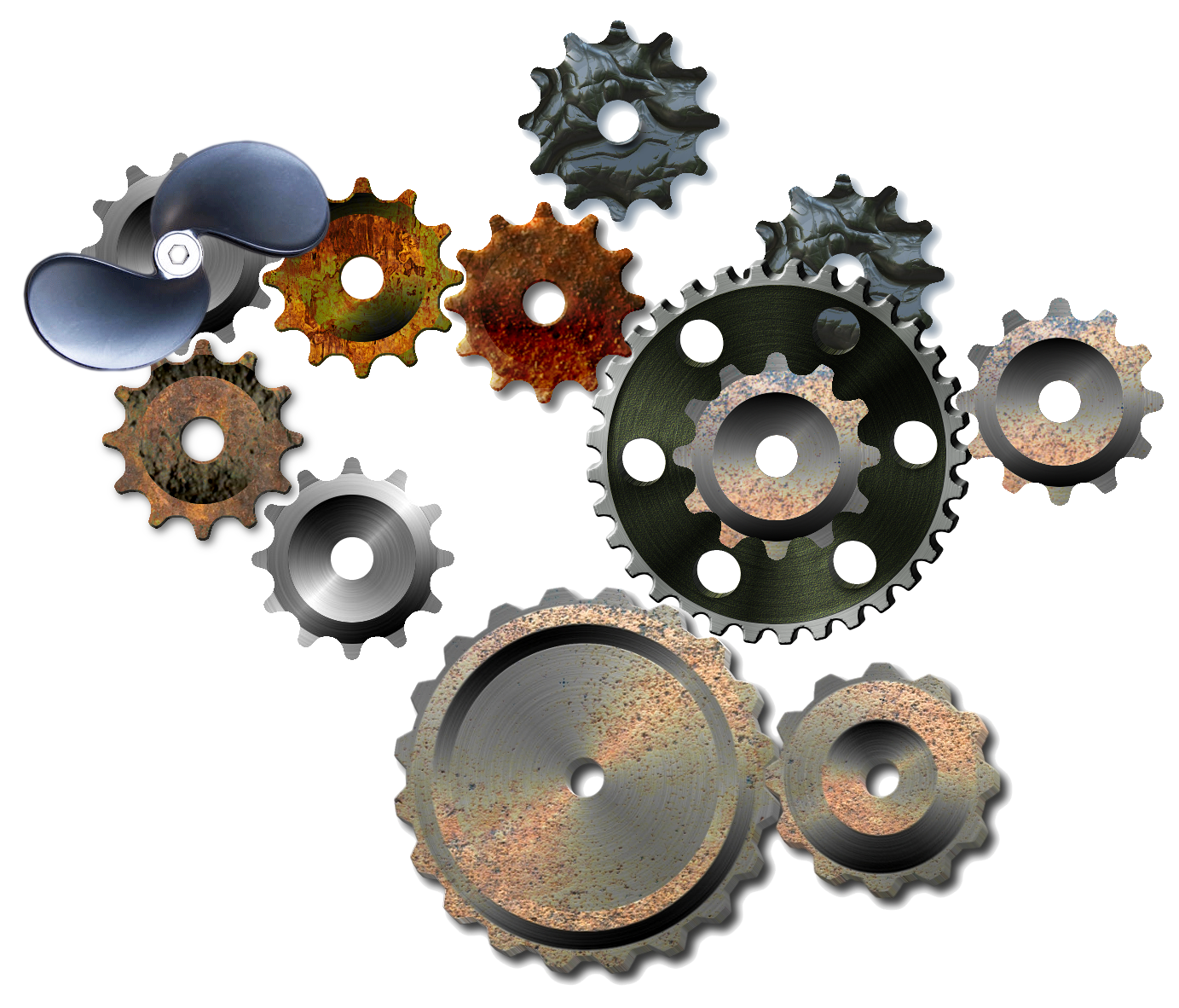
multi-gear composition (just for fun! :))
Image

_________________
Image
Visualize your and others dreams coming true.


Top
 Post subject: Re: Creating a realistic gear in GIMP
PostPosted: Wed Jul 30, 2014 6:41 pm  (#79) 
Offline
Administrator
User avatar

Joined: Aug 10, 2012
Posts: 14207
Location: Native to NYC living in Arizona, Gimp 2.8 - 3.0, Win 11 PC.
trandoductin wrote:
multi-gear composition (just for fun! :))
[ Image ]

Gears of Tran. :hehe

_________________
Image
"A wise man learns more from a foolish question than a fool can learn from a wise answer"
Image


Top
 Post subject: Re: Creating a realistic gear in GIMP
PostPosted: Wed Jul 30, 2014 6:43 pm  (#80) 
Offline
Script Coder
User avatar

Joined: May 07, 2014
Posts: 4554
Location: Canada
No they're not, they're gears of many people on here I just cut and pasted and combined them for fun :lol

_________________
Image
Visualize your and others dreams coming true.


Top
Post new topic Reply to topic  [ 94 posts ]  Go to page Previous  1, 2, 3, 4, 5  Next

All times are UTC - 5 hours [ DST ]


* Login  


Powered by phpBB3 © phpBB Group