krista wrote:
GIMP Version: 2.6
Operating System: Windows
OS Version: Windows 7
GIMP Experience: Intermediate Level
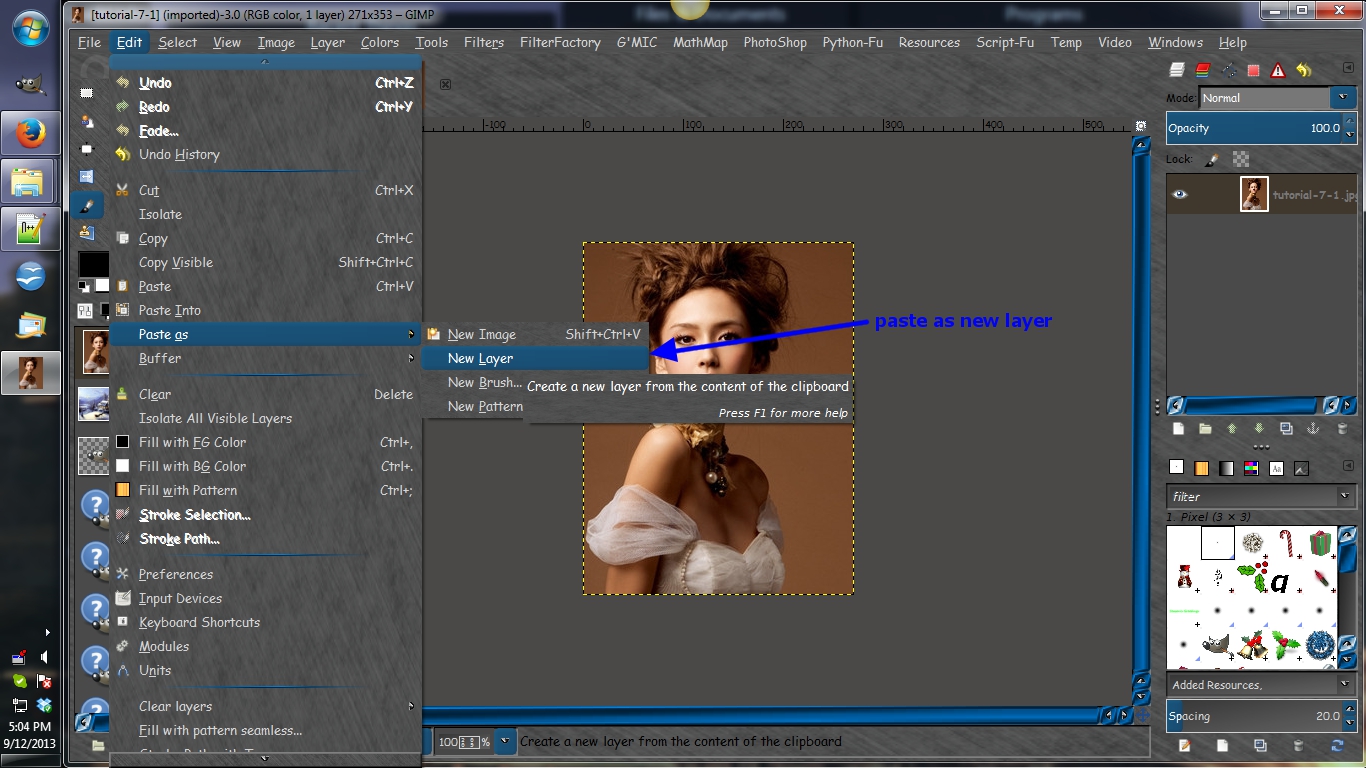
Hi guys! I need a little bit of help. I am pretty good at gimp and I make a lot of banners and graphics for my online business, but I can't quite figure this one out. I am currently making a banner (468x60) and the effect I want to create is a large picture rising up inside the banner (like it is scrolling upwards). I take the picture and paste it on my banner, but since it is a floating image I cannot move it upwards a bit on each layer so that I can make it into a gif unless I anchor it first. Does anyone know of a way I can do this?
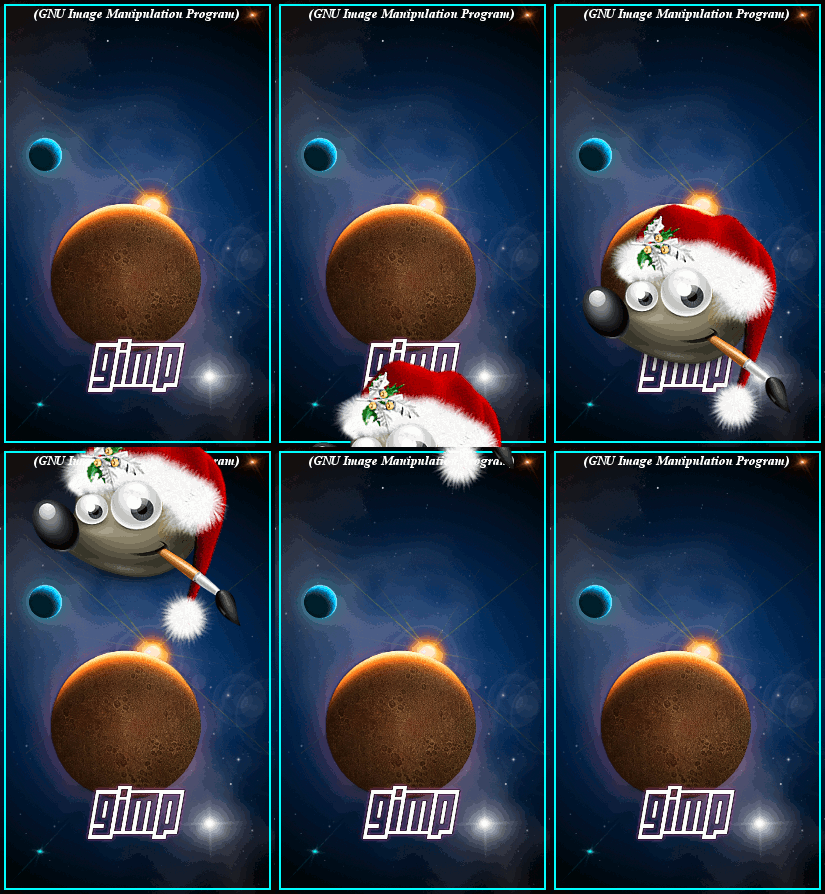
I put together the image below by first opening the background image. Then I opened the image of Wilber as a layer. I changed this layer by doing a "layer to image size". The image of Wilber was opened as a layer so it will already be anchored in place.
I then moved Wilber all the way down to the bottom, until I could just see the the top of his hat. I duplicated this layer and moved it up. Doing this about 10 times, until Wilber's image went out of view at the top.
Once this was completed, I then combined all the layers with the background.
 Login
Login Register
 Tweets
 FAQ
FAQ Advanced Search