It is currently Mon Nov 23, 2026 11:22 am


All times are UTC - 5 hours [ DST ]


Post new topic Reply to topic  [ 11 posts ] 
Author Message
 Post subject: Flaming Wings? (need help)
PostPosted: Sun Apr 06, 2014 3:39 pm  (#1) 
Offline
GimpChat Member
User avatar

Joined: Dec 11, 2011
Posts: 532
GIMP Version: 2.6
Operating System: Windows
GIMP Experience: Beginner Level


Anyone know how to create flaming wings such as the ones in the photo below? I need to make some for a picture i am working on. The image needs to have a transparent background and must be 150 x 150 pixels. if anyone knows a good quick way to do this, please let me know . i have been trying all day and am at a loss right now. :( the guy is counting on me to come through. my reputation is kinda at stake as well. i don't want to make him wait much longer. below is what i'm trying to reproduce. only the wings is all i need.

Attachment:
flamingwings.jpg
flamingwings.jpg [ 300.88 KiB | Viewed 4067 times ]

_________________
Image


Share on Facebook Share on Twitter Share on Orkut Share on Digg Share on MySpace Share on Delicious Share on Technorati
Top
 Post subject: Re: Flaming Wings? (need help)
PostPosted: Sun Apr 06, 2014 4:23 pm  (#2) 
Offline
Administrator
User avatar

Joined: Aug 10, 2012
Posts: 14281
Location: Native to NYC living in Arizona, Gimp 2.8 - 3.0, Win 11 PC.
rdgracer71 wrote:
GIMP Version: 2.6
Operating System: Windows
GIMP Experience: Beginner Level


Anyone know how to create flaming wings such as the ones in the photo below? I need to make some for a picture i am working on. The image needs to have a transparent background and must be 150 x 150 pixels. if anyone knows a good quick way to do this, please let me know . i have been trying all day and am at a loss right now. :( the guy is counting on me to come through. my reputation is kinda at stake as well. i don't want to make him wait much longer. below is what i'm trying to reproduce. only the wings is all i need.

Attachment:
flamingwings.jpg

!50x150 is pretty small.

_________________
Image
"A wise man learns more from a foolish question than a fool can learn from a wise answer"
Image


Top
 Post subject: Re: Flaming Wings? (need help)
PostPosted: Sun Apr 06, 2014 4:36 pm  (#3) 
Offline
GimpChat Member
User avatar

Joined: Dec 11, 2011
Posts: 532
Wallace wrote:
rdgracer71 wrote:
GIMP Version: 2.6
Operating System: Windows
GIMP Experience: Beginner Level


Anyone know how to create flaming wings such as the ones in the photo below? I need to make some for a picture i am working on. The image needs to have a transparent background and must be 150 x 150 pixels. if anyone knows a good quick way to do this, please let me know . i have been trying all day and am at a loss right now. :( the guy is counting on me to come through. my reputation is kinda at stake as well. i don't want to make him wait much longer. below is what i'm trying to reproduce. only the wings is all i need.

Attachment:
flamingwings.jpg

!50x150 is pretty small.


i know. its an avatar

_________________
Image


Top
 Post subject: Re: Flaming Wings? (need help)
PostPosted: Sun Apr 06, 2014 5:06 pm  (#4) 
Offline
Administrator
User avatar

Joined: Aug 10, 2012
Posts: 14281
Location: Native to NYC living in Arizona, Gimp 2.8 - 3.0, Win 11 PC.
rdgracer71 wrote:
i know. its an avatar

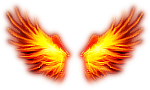
You can try these wings if you like.
Image

_________________
Image
"A wise man learns more from a foolish question than a fool can learn from a wise answer"
Image


Top
 Post subject: Re: Flaming Wings? (need help)
PostPosted: Sun Apr 06, 2014 5:07 pm  (#5) 
Offline
GimpChat Member
User avatar

Joined: Apr 07, 2010
Posts: 14182
nice job Wallace as usual.

_________________
Image


Top
 Post subject: Re: Flaming Wings? (need help)
PostPosted: Sun Apr 06, 2014 5:12 pm  (#6) 
Offline
Administrator
User avatar

Joined: Aug 10, 2012
Posts: 14281
Location: Native to NYC living in Arizona, Gimp 2.8 - 3.0, Win 11 PC.
molly wrote:
nice job Wallace as usual.

Thanks Molly, it just a scaled down version of the originally posted image. With some added painting and smudging in the right places.

_________________
Image
"A wise man learns more from a foolish question than a fool can learn from a wise answer"
Image


Top
 Post subject: Re: Flaming Wings? (need help)
PostPosted: Sun Apr 06, 2014 5:14 pm  (#7) 
Offline
GimpChat Member
User avatar

Joined: Apr 07, 2010
Posts: 14182
Doesn't matter, still good no matter how you spin it

_________________
Image


Top
 Post subject: Re: Flaming Wings? (need help)
PostPosted: Sun Apr 06, 2014 6:02 pm  (#8) 
Offline
Global Moderator
User avatar

Joined: Apr 01, 2012
Posts: 8511
Location: On the other side of your screen
well done wallace

_________________
Image
Free Fun Photo Editing & resources
Poems from the Lord
Gimp Newby
Gimp version 3.2.8 and GMIC-Qt 4.0.2 OS :- Windows 10 Home 64


Top
 Post subject: Re: Flaming Wings? (need help)
PostPosted: Sun Apr 06, 2014 8:00 pm  (#9) 
Offline
Administrator
User avatar

Joined: Aug 10, 2012
Posts: 14281
Location: Native to NYC living in Arizona, Gimp 2.8 - 3.0, Win 11 PC.
sallyanne wrote:
well done wallace

Thanks Sallyanne.
It's very small though.

_________________
Image
"A wise man learns more from a foolish question than a fool can learn from a wise answer"
Image


Top
 Post subject: Re: Flaming Wings? (need help)
PostPosted: Sun Apr 06, 2014 11:24 pm  (#10) 
Offline
GimpChat Member
User avatar

Joined: Feb 14, 2012
Posts: 426
rdgracer71 wrote:
GIMP Version: 2.6
Operating System: Windows
GIMP Experience: Beginner Level


Anyone know how to create flaming wings such as the ones in the photo below? I need to make some for a picture i am working on. The image needs to have a transparent background and must be 150 x 150 pixels. if anyone knows a good quick way to do this, please let me know . i have been trying all day and am at a loss right now. :( the guy is counting on me to come through. my reputation is kinda at stake as well. i don't want to make him wait much longer. below is what i'm trying to reproduce. only the wings is all i need.

Attachment:
flamingwings.jpg

Make a white layer and set it to darken only. Make a selection the shape of a feather and use the blend tool to fill it with a gradient using Foreground black to Background white and the shape (Shaped Angular). Then create another white layer set to darken only and keep doing it until you have done all the feathers. Then do a [Layer] [New From Visible]. and then do a [Color] [Color to Alpha]. And make a new transparent layer and past a foreground color of black onto it. I'll have to show you the rest of the process tomorrow because I have to go to bed now but here is an image.

Image

Peglegs


Top
 Post subject: Re: Flaming Wings? (need help)
PostPosted: Mon Apr 07, 2014 9:35 am  (#11) 
Offline
GimpChat Member
User avatar

Joined: Feb 14, 2012
Posts: 426
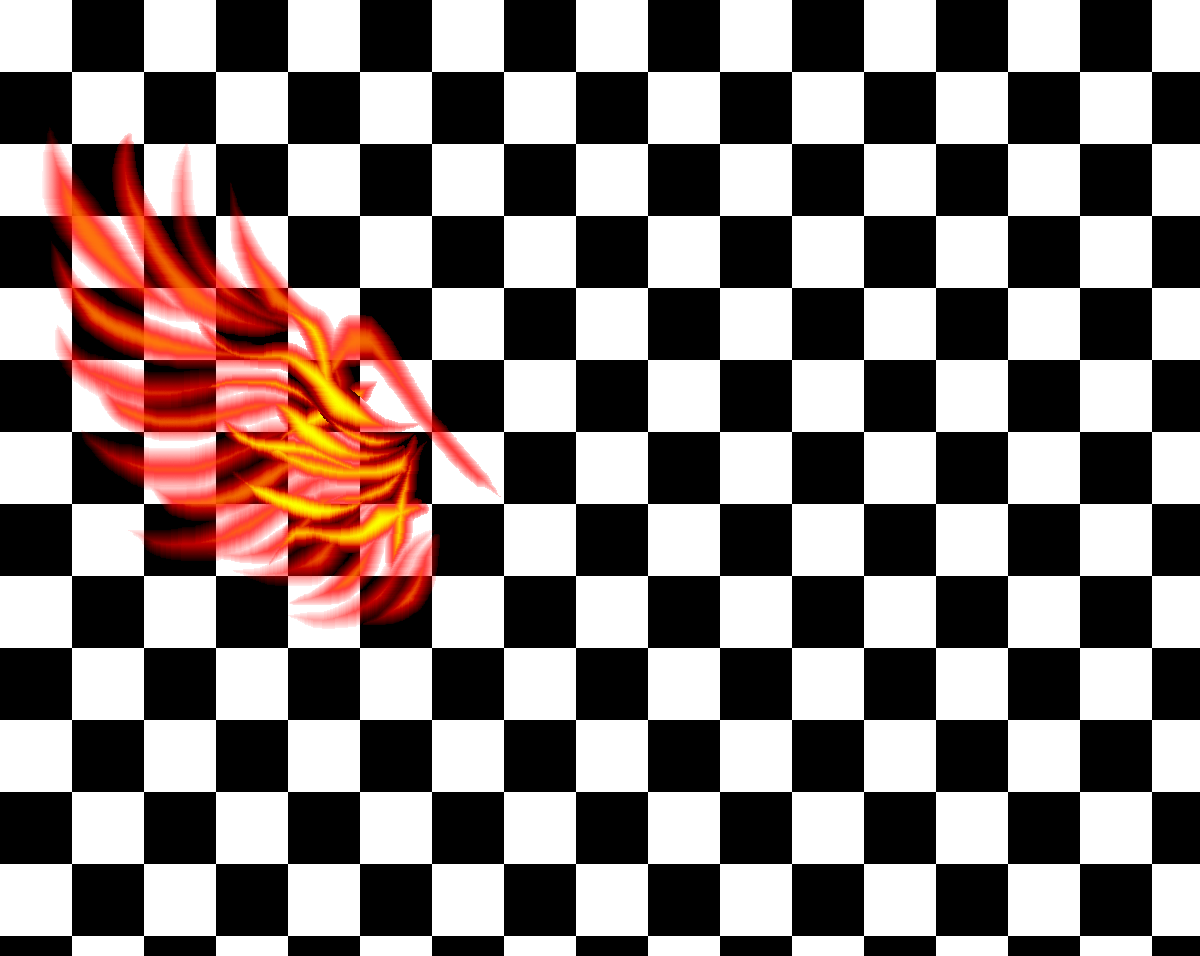
In any case, after you've created all your gradient flames do a Layer from visible. Then on that layer do a [Color] [Color to Alpha] Then above that in the layer stacking order make a white layer and above that make a transparent layer. The bring in the selection of the alpha layer by Alt+Left Clicking it. And on the transparent layer past in a red color via [Edit] [Fill with Foreground Color]. Then with the selection still active switch over to Quickmask mode and use the [Color] [curves] on it and bring the bottom left node over to the center bottom position. This will make the selection drop out most of the lighter areas. Then just use a yellow color to [Edit] [Fill with Foreground Color] to past a pand of yellow color onto and over the red.

This is probably not the best looking example but you may be able to get better gradients using other methods. But it is a way to get a transparent red orange yellowish opaque layer. I've posted a xcf file.
Image


Attachments:
File comment: An .xcf file
FlameWings.xcf [2.86 MiB]
Downloaded 109 times
Top
Post new topic Reply to topic  [ 11 posts ] 

All times are UTC - 5 hours [ DST ]


* Login  


Powered by phpBB3 © phpBB Group