It is currently Sat Oct 03, 2026 4:55 pm


All times are UTC - 5 hours [ DST ]


Post new topic Reply to topic  [ 9 posts ] 
Author Message
 Post subject: Sample GIMP Blinking Animation
PostPosted: Fri May 30, 2014 6:19 am  (#1) 
Offline
GimpChat Member

Joined: May 26, 2014
Posts: 53
Open a file and set your canvas size
Create an image or do whatever you want for your animation (in this case I made GIMP text using brush)
Make at least 3 layers but you can add more if you want (use the copy/duplicate layer if you want to work with the same text)
Use the Fuzzy Select to edit
Edit the text as you want (I used gradient for this)
Before you save it be sure to know where you will save the file
Save as *.xcf so it can still have the gimp layers (you can do this to edit it again)
Export as *.gif (GIF Image)
Click the "As animation" (there are other options but that depends on how you use it)

Anyone know how I can set a different duration for each layer? I only have a fixed time for that and I want layer 1 to be 2000 milliseconds and 4000 ms for layer 2.

:snap


Attachments:
g1.xcf [267.3 KiB]
Downloaded 131 times
g1.gif
g1.gif [ 35.65 KiB | Viewed 5427 times ]
Share on Facebook Share on Twitter Share on Orkut Share on Digg Share on MySpace Share on Delicious Share on Technorati
Top
 Post subject: Re: Sample GIMP Blinking Animation
PostPosted: Fri May 30, 2014 8:17 am  (#2) 
Offline
GimpChat Member
User avatar

Joined: Jun 02, 2013
Posts: 2090
You can right click the layer, and select edit layer attributes, and set the delay. After the layer name, just add (1000ms), or whatever the delay is you want. What you want probably wouldn't work right though. 1000ms = 1 second. A 2 second, and 4 second delay more than likely wouldn't look right. Too long of a delay. It seems like there's another way to set the delay for each frame, but I can't remember. I rarely do animations.

_________________
Image


Top
 Post subject: Re: Sample GIMP Blinking Animation
PostPosted: Fri May 30, 2014 8:06 pm  (#3) 
Offline
GimpChat Member
User avatar

Joined: Apr 07, 2010
Posts: 14182
filters > animations > Settings > then change your delay there for your layer. You can experiment with that using the playback until it suits you.

_________________
Image


Top
 Post subject: Re: Sample GIMP Blinking Animation
PostPosted: Fri May 30, 2014 10:44 pm  (#4) 
Offline
GimpChat Member
User avatar

Joined: Jun 02, 2013
Posts: 2090
molly wrote:
filters > animations > Settings > then change your delay there for your layer. You can experiment with that using the playback until it suits you.
Does that do one layer at a time Molly, or all layers at a time?

_________________
Image


Top
 Post subject: Re: Sample GIMP Blinking Animation
PostPosted: Sun Jun 22, 2014 9:31 pm  (#5) 
Offline
GimpChat Member

Joined: May 26, 2014
Posts: 53
What is the default pace of the frames if you don't set up the ms?


Top
 Post subject: Re: Sample GIMP Blinking Animation
PostPosted: Sun Jun 22, 2014 10:20 pm  (#6) 
Offline
GimpChat Member
User avatar

Joined: Jun 02, 2013
Posts: 2090
Kenlee20 wrote:
What is the default pace of the frames if you don't set up the ms?

I believe it's 100 ms.

_________________
Image


Top
 Post subject: Re: Sample GIMP Blinking Animation
PostPosted: Mon Jun 23, 2014 6:53 pm  (#7) 
Offline
GimpChat Member

Joined: May 26, 2014
Posts: 53
Thanks, do you also know how to make an object move softly? I tried to make a rocket animation and it was awkward to look at. It does not look smooth enough. Do you know something that works like Flash but is more on a free software? TIA


Top
 Post subject: Re: Sample GIMP Blinking Animation
PostPosted: Mon Jun 23, 2014 9:58 pm  (#8) 
Offline
Script Coder
User avatar

Joined: May 07, 2014
Posts: 4561
Location: Canada
Kenlee20,
can you post your rocket animation?
Usually to make it look smoother, you'd have to add more frames so it's not too choppy, you can do effects too such as motion blur to create illusion that the object is moving.
I am just curious to see your rocket animation. maybe if you post it, others can play with it(probably me too) and help you improve your animation.

_________________
Image
Visualize your and others dreams coming true.


Top
 Post subject: Re: Sample GIMP Blinking Animation
PostPosted: Sat Jun 28, 2014 4:04 am  (#9) 
Offline
GimpChat Member

Joined: May 26, 2014
Posts: 53
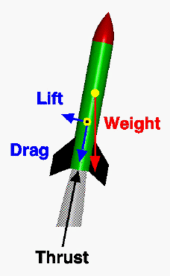
I as a rocket that look like this Image and I tried to make it fire to the top. So I added a few frames to stop it from coming back.


Top
Post new topic Reply to topic  [ 9 posts ] 

All times are UTC - 5 hours [ DST ]


* Login  


Powered by phpBB3 © phpBB Group