It is currently Mon Nov 16, 2026 11:04 am


All times are UTC - 5 hours [ DST ]


Post new topic Reply to topic  [ 40 posts ]  Go to page Previous  1, 2
Author Message
 Post subject: Re: waving banner how-to
PostPosted: Mon Mar 07, 2011 9:48 pm  (#21) 
Offline
GimpChat Member
User avatar

Joined: Apr 08, 2010
Posts: 5420
Location: Northwest Ohio
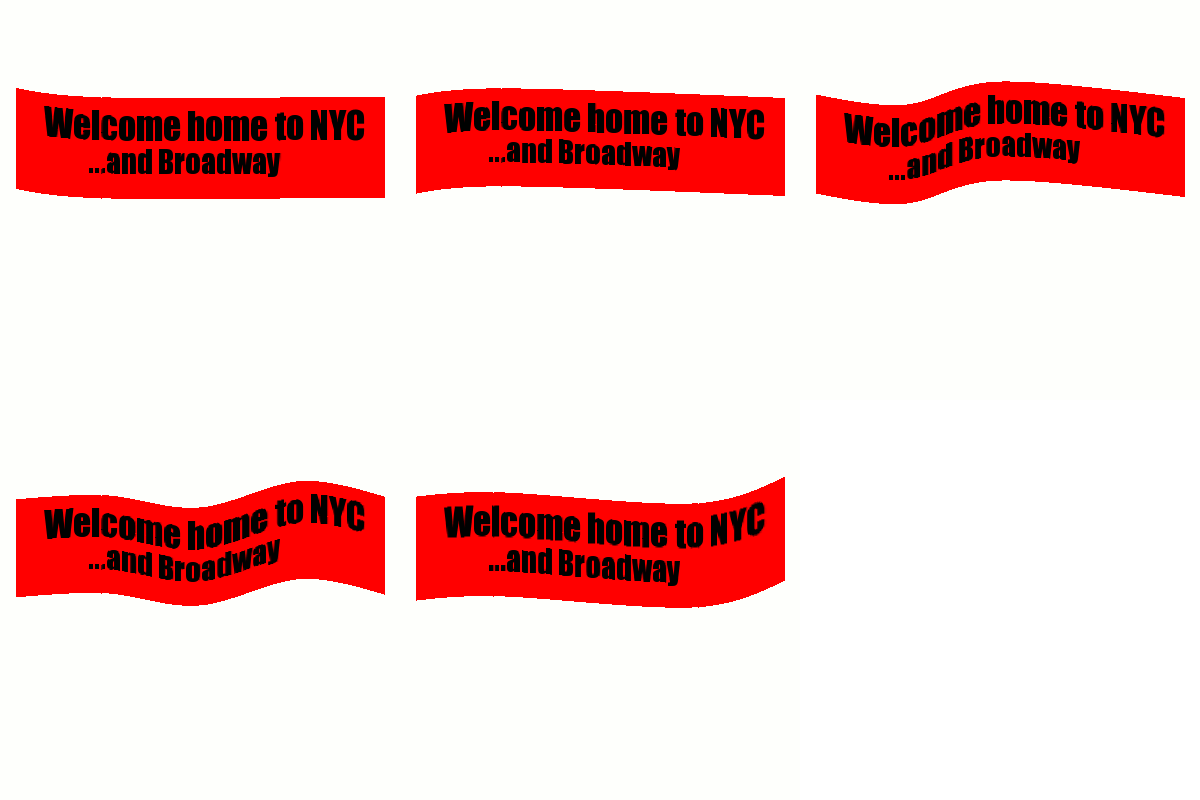
double post...finally got something reasonably like I envisioned by manually making duplicate layers, using curve bend on each layer, adding background to each layer, animate. But this computer doesn't have my old added scripts and I cannot figure out how to slow down the animation...there is no dialog box to change settings that I can find.


Top
 Post subject: Re: waving banner how-to
PostPosted: Mon Mar 07, 2011 10:42 pm  (#22) 
Offline
GimpChat Member
User avatar

Joined: Oct 06, 2010
Posts: 4050
You have to add a higher time per frame. Saulgoode made a script that does it for you, I think its called settings, found in Filters - Animation.

_________________
"In order to attain the impossible, one must attempt the absurd."
~ Miguel de Cervantes


Top
 Post subject: Re: waving banner how-to
PostPosted: Mon Mar 07, 2011 11:32 pm  (#23) 
Offline
GimpChat Member
User avatar

Joined: Apr 08, 2010
Posts: 5420
Location: Northwest Ohio
Yes I have that in my old computer gimp...is there a way to put that in manually, like in the layer name? I have forgotten the speed letters, is it mms or something like that...iirc, you added parenthesis and a symbol and the speed, but of course I am not sure of the exact way to do it. I guess I could re-do it on the other computer and use SG's script, but I am lazy and also would like to know how to do it manually.


Top
 Post subject: Re: waving banner how-to
PostPosted: Mon Mar 07, 2011 11:36 pm  (#24) 
Offline
GimpChat Member
User avatar

Joined: Oct 06, 2010
Posts: 4050
You would manually add it to the layer name like you said:

layer-name (100ms)

Higher to make it slower, etc...

_________________
"In order to attain the impossible, one must attempt the absurd."
~ Miguel de Cervantes


Top
 Post subject: Re: waving banner how-to
PostPosted: Tue Mar 08, 2011 12:10 am  (#25) 
Offline
GimpChat Member
User avatar

Joined: Apr 08, 2010
Posts: 5420
Location: Northwest Ohio
ok, got it! I really need to add some of the scripts that aren't on my laptop, but it is good to be able to do the job manually, too. I am not that thrilled with the result, but it's a start. I will have to play around with it more.
Image


Top
 Post subject: Re: waving banner how-to
PostPosted: Tue Mar 08, 2011 1:52 am  (#26) 
Offline
GimpChat Member
User avatar

Joined: Jul 04, 2010
Posts: 2253
Location: Retired Moderator Slowly Returning to the Living.
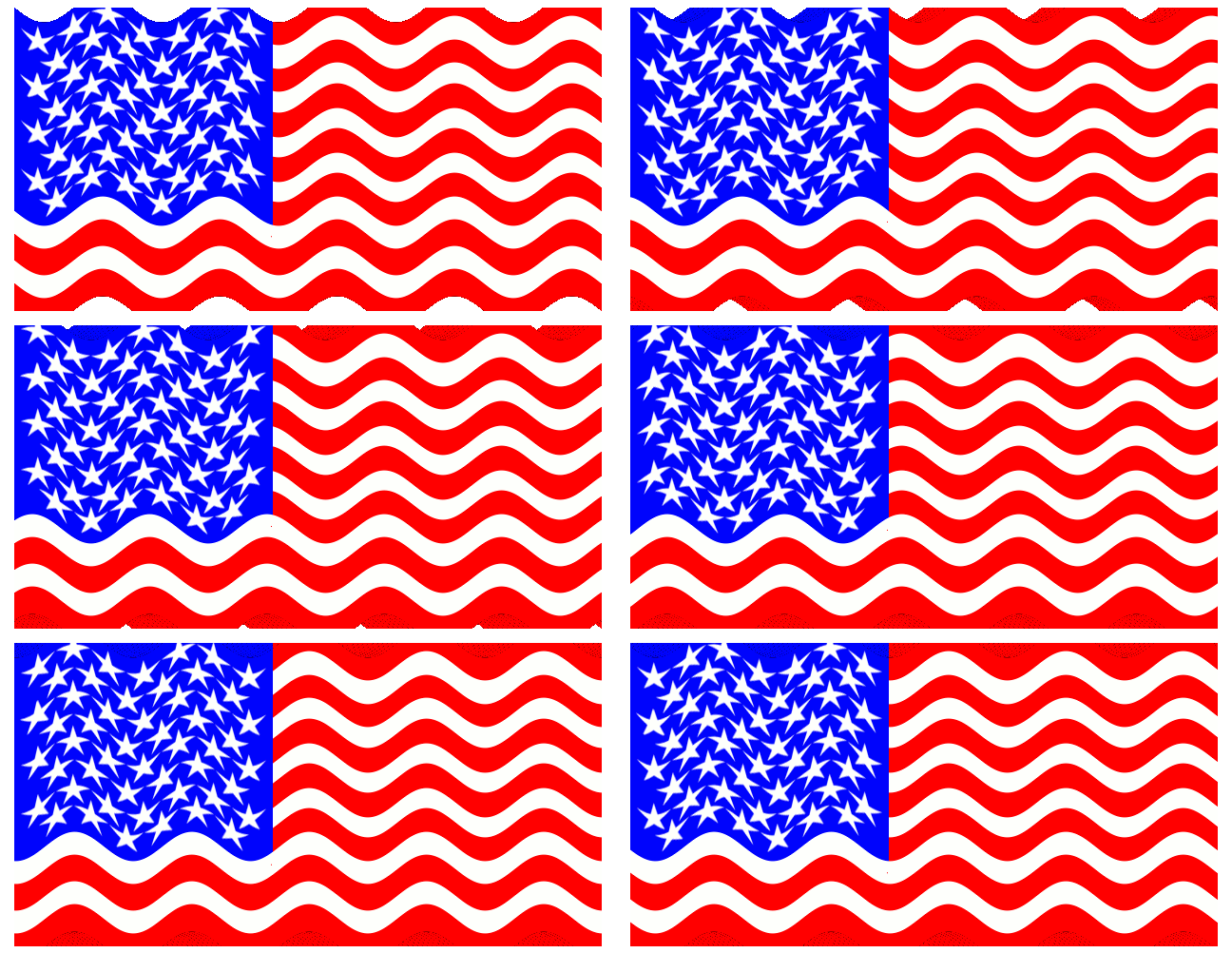
This was using mathmap. I took a 400x200 flag image. Expanded the canvas to 440x220 and centered. (to give area to wave) Then I ran mathmap, using Distorts > Flag and set the parameters to where I liked them. The result is:


Attachments:
AniFlag.gif
AniFlag.gif [ 627.08 KiB | Viewed 2211 times ]

_________________
Artists aren't crazy! We're eccentric! ~G.M. Ross

Image

My Sigs = My Photos
Check out my work at http://www.flickr.com/photos/photomastergreg.
Top
 Post subject: Re: waving banner how-to
PostPosted: Tue Mar 08, 2011 1:53 am  (#27) 
Offline
Script Coder
User avatar

Joined: Apr 23, 2010
Posts: 1553
Location: not from Guildford after all
2-ton wrote:
Yes I have that in my old computer gimp...is there a way to put that in manually, like in the layer name? I have forgotten the speed letters, is it mms or something like that...iirc, you added parenthesis and a symbol and the speed, but of course I am not sure of the exact way to do it. I guess I could re-do it on the other computer and use SG's script, but I am lazy and also would like to know how to do it manually.

You can manually change the framerate of a GIF animation by specifying the time each layer is displayed (the "delay") in the layer's name. This specification should be a decimal number followed by the characters "ms" (no quotes), all wrapped in parentheses. For example, "Layer #1 (60ms)".

You can also specify the "frame disposal" method of each layer -- i.e., whether the layer completely replaces the previous frame or whether it is merely displayed on top of it -- by including either the text string "(replace)" or "(combine)" respectively in the layername. For example, "Layer #1 (60ms)(combine)".

Note that you can also specify the frame delay and disposal method for your frames when saving your image to a GIF file: in the export animation dialog, check the boxes for "Use delay/disposal method entered above for all frames". This feature was not available when I originally wrote the Animation Settings script; nonetheless, the script is still of use when you 1) don't wish all of the layers to have the same settings (the script only modifies visible layers) and/or 2) don't wish to convert your image to indexed mode (XCF multi-layer animations are especially useful when using GAP).

_________________
Any sufficiently primitive technology is indistinguishable from a rock.


Top
 Post subject: Re: waving banner how-to
PostPosted: Tue Mar 08, 2011 4:22 am  (#28) 
Offline
Script Coder
User avatar

Joined: Jun 22, 2010
Posts: 1171
Location: Here and there
Just to throw in an alternative thought on the subject of waving flags, Meet The Gimp episode 71:

http://meetthegimp.org/episode-071-choices/

_________________
Kevin


Top
 Post subject: Re: waving banner how-to
PostPosted: Tue Mar 08, 2011 12:09 pm  (#29) 
Offline
Global Moderator
User avatar

Joined: May 16, 2010
Posts: 16271
I think i remember that video didn't he use a displacement map for the flag in that tutorial?
Sorry too lazy to watch it again. :)

_________________
Image


Top
 Post subject: Re: waving banner how-to
PostPosted: Tue Mar 08, 2011 1:08 pm  (#30) 
Offline
Global Moderator
User avatar

Joined: May 16, 2010
Posts: 16271
MathMap makes it very easy though - thanks PM! :hi5
I should have made my canvas a little bigger i guess. :lol

Image

_________________
Image


Top
 Post subject: Re: waving banner how-to
PostPosted: Tue Mar 08, 2011 1:15 pm  (#31) 
Offline
GimpChat Member
User avatar

Joined: Oct 06, 2010
Posts: 4050
Rod, actually, I like your result, because it could give the appearance for like rolling hills for a moving animation for runners, cars, trucks, etc. Glad I saw this.

_________________
"In order to attain the impossible, one must attempt the absurd."
~ Miguel de Cervantes


Top
 Post subject: Re: waving banner how-to
PostPosted: Tue Mar 08, 2011 1:18 pm  (#32) 
Offline
Global Moderator
User avatar

Joined: May 16, 2010
Posts: 16271
I am glad it helped :)
I guess you just never know.

_________________
Image


Top
 Post subject: Re: waving banner how-to
PostPosted: Wed Mar 09, 2011 12:51 pm  (#33) 
Offline
GimpChat Member
User avatar

Joined: Apr 08, 2010
Posts: 5420
Location: Northwest Ohio
nice results...I don't have mathmap, never could get it on my pc with 2.4, and haven't tried on the mac with 2.6.
my next thought is to try and get the lighting on the banner...I don't know if I can pull that one off! I think there should be a highlight on the high point of each wave and a shadow on each valley of the waves.

Is there a written tut of the meet the gimp #71? I don't know german/dutch or whatever it is and can't even figure out what to click to watch it.


Top
 Post subject: Re: waving banner how-to
PostPosted: Wed Mar 09, 2011 1:45 pm  (#34) 
Offline
Global Moderator
User avatar

Joined: May 16, 2010
Posts: 16271
Here you go 2-ton - i have had these videos all uploaded for some time now.
Episode #71 - animations - English version
http://download1080.mediafire.com/dbh5p ... ations.mp4

this is the extras file - http://download1319.mediafire.com/4cda5 ... imp071.zip

Both are for the same tutorial
Hope that helps. :)

_________________
Image


Top
 Post subject: Re: waving banner how-to
PostPosted: Wed Mar 09, 2011 1:49 pm  (#35) 
Offline
Global Moderator
User avatar

Joined: May 16, 2010
Posts: 16271
Results from the tutorial -
Image

_________________
Image


Top
 Post subject: Re: waving banner how-to
PostPosted: Wed Mar 09, 2011 2:45 pm  (#36) 
Offline
GimpChat Member
User avatar

Joined: Apr 07, 2010
Posts: 14182
Very nice Rod. I am trying to write down everything now from the vid. what a job. I wish it was a text tute....

_________________
Image


Top
 Post subject: Re: waving banner how-to
PostPosted: Wed Mar 09, 2011 2:47 pm  (#37) 
Offline
GimpChat Member
User avatar

Joined: Apr 08, 2010
Posts: 5420
Location: Northwest Ohio
Me too Molly, I do better with reading the text. If you can get it printed up, can you post it here?
BTW, I found the combine background script but didn't see the overlay background script over on flashingbrick.


Top
 Post subject: Re: waving banner how-to
PostPosted: Wed Mar 09, 2011 3:07 pm  (#38) 
Offline
Global Moderator
User avatar

Joined: May 16, 2010
Posts: 16271
Actually you can find it right here 2-ton. :)
viewtopic.php?f=9&t=835

_________________
Image


Top
 Post subject: Re: waving banner how-to
PostPosted: Wed Mar 09, 2011 4:16 pm  (#39) 
Offline
GimpChat Member
User avatar

Joined: Apr 08, 2010
Posts: 5420
Location: Northwest Ohio
lol, what would I do without you guys!!! I had assumed that I needed two different scripts...but I see that the overlay is already in the same script as the background!


Last edited by 2-ton on Wed Mar 09, 2011 4:19 pm, edited 1 time in total.

Top
 Post subject: Re: waving banner how-to
PostPosted: Wed Mar 09, 2011 4:17 pm  (#40) 
Offline
GimpChat Member
User avatar

Joined: Mar 02, 2011
Posts: 1850
Location: Michigan
You would do a lot of extra work :D

Very useful tutorial, bookmarked.

_________________
Image
I'm back I think


Top
Post new topic Reply to topic  [ 40 posts ]  Go to page Previous  1, 2

All times are UTC - 5 hours [ DST ]


* Login  


Powered by phpBB3 © phpBB Group