Odinbc wrote:
Isn't Inkscape more suited for the job than Gimp? I'm sure some people would try if you shared some how to tips on your workflow.
Maybe Inkscape would be more suitable but I've not imposed any requirements for how they are made.

It's a fair point about explaining my work-flow...
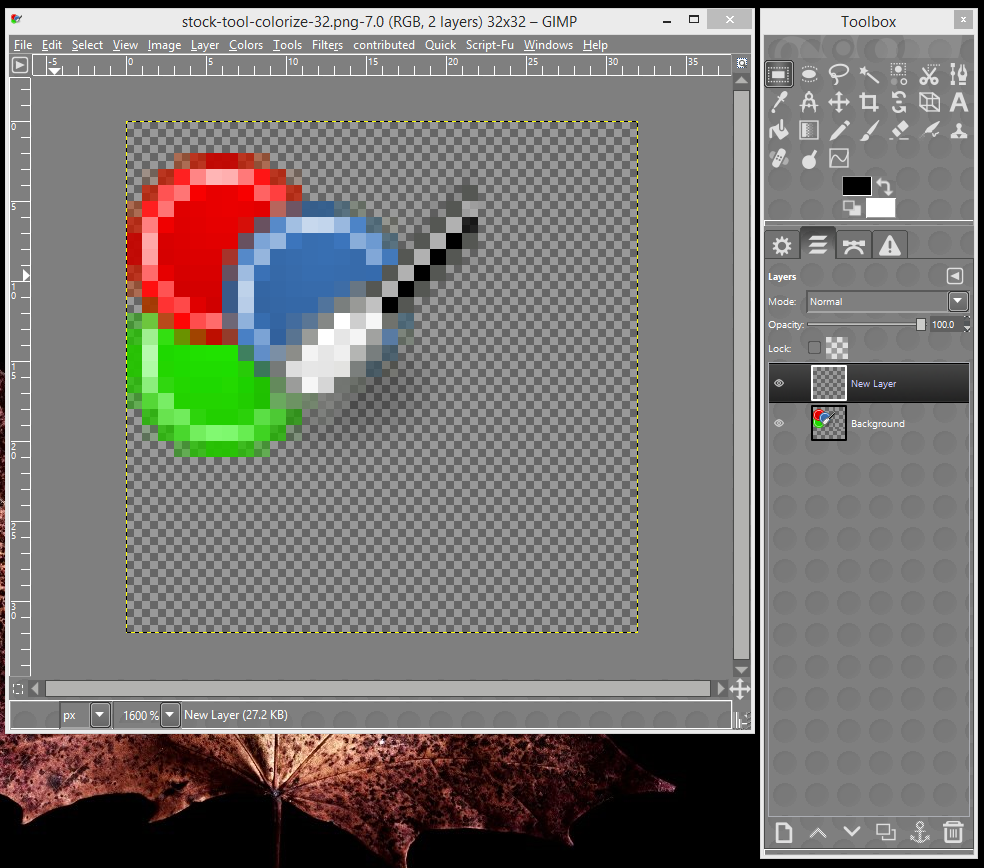
I start by opening one of the existing 22x22 sized icon files, setting the canvas size to 32 and adding a new 32x32 transparent layer and zooming in a lot.
Attachment:
 Untitled1.png [ 227.25 KiB | Viewed 7331 times ]
Now I analyse what it I'm trying to make a larger version of - in this case three circles and a palette knife(?)
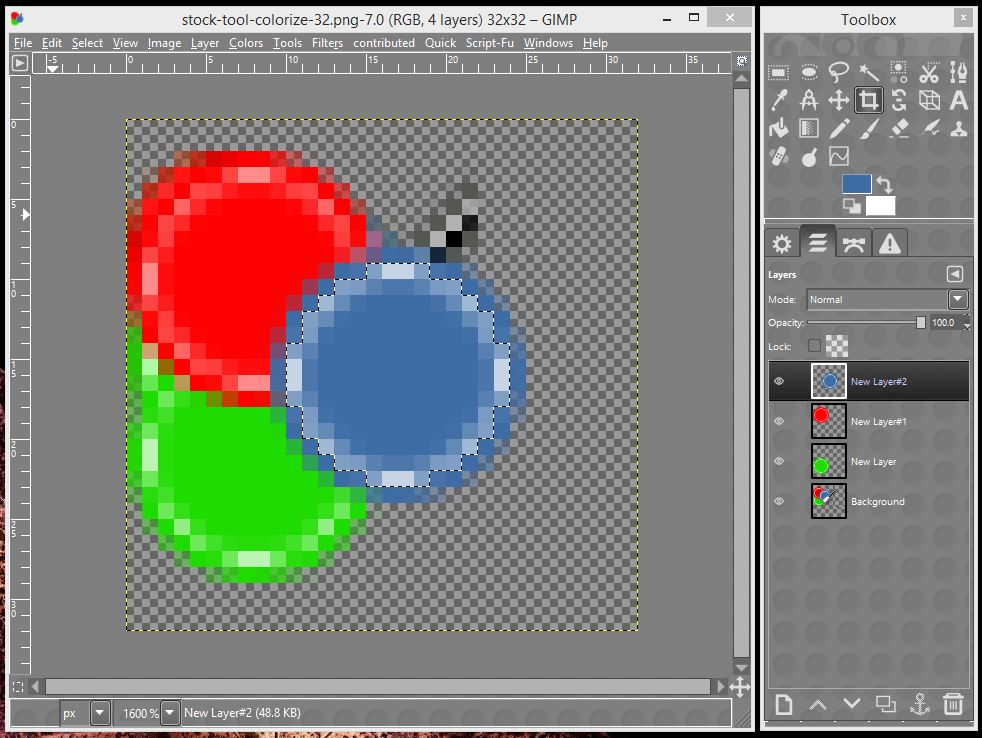
So circles are easy, and the green is obviously underneath, so I draw that first, then the red, then the blue
each on separate layers in case I want to move them.
Attachment:
 Untitled2.png [ 90.78 KiB | Viewed 7331 times ]
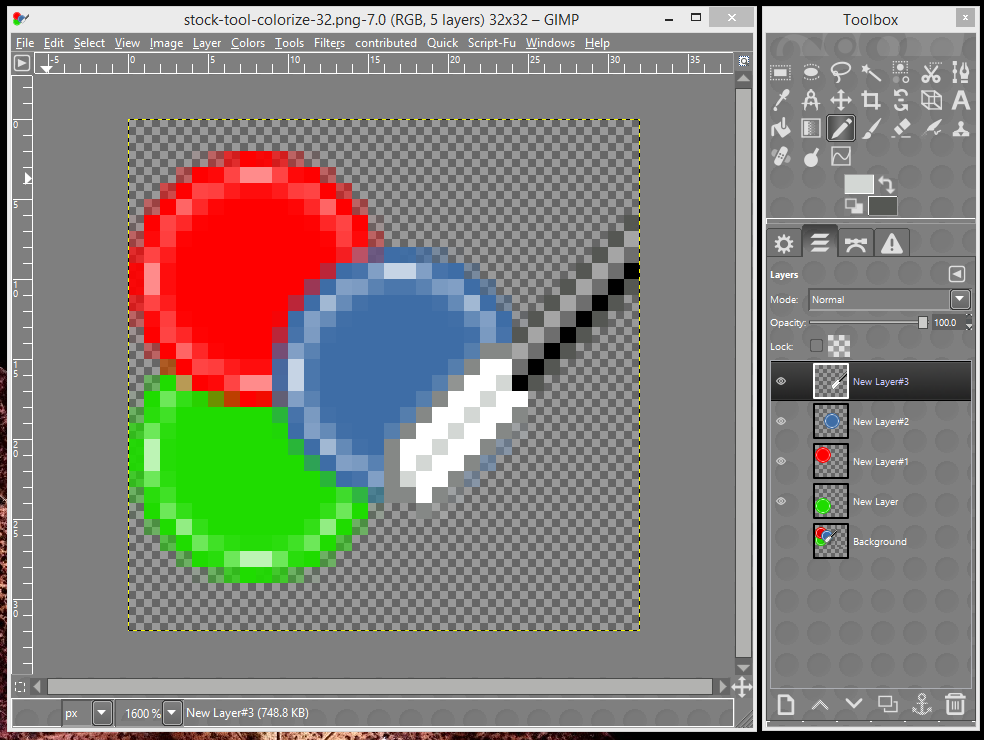
Now I've got to draw the palette knife, so it's back to the layer with the original icon on, and see how it's drawn - it's got a black handle with a grey highlight on the top edge and a mostly white blade, outlined in grey to make it stand out. It's drawn on the diagonal and reaches from the bottom of the blue circle to the edge of the layer.
Now it just a matter of drawing those pixels - one pixel at a time if necessary.
Attachment:
 Untitled3.png [ 96.96 KiB | Viewed 7331 times ]
I've not been bothering with the drop shadows.
And that's all there is to it.
Kevin
 Login
Login Register
 Tweets
 FAQ
FAQ Advanced Search














 I've seen icon specific editors like





