It is currently Fri Jun 26, 2026 12:54 am


All times are UTC - 5 hours [ DST ]


Post new topic Reply to topic  [ 408 posts ]  Go to page Previous  1 ... 10, 11, 12, 13, 14, 15, 16 ... 21  Next
Author Message
 Post subject: Re: Custom Font script (spawned from Wallace's PhotoFont topic).
PostPosted: Wed Oct 05, 2016 6:52 am  (#241) 
Offline
Global Moderator
User avatar

Joined: May 16, 2010
Posts: 16057
Found another error. If you don't have a ! in your XCF file and try to use one in the words you get a gimp-item error. Of course that's because GIMP can't find an item in this case the layer with !.png so it errors. Any way to allow the filter to run if ONLY letters or numbers are available? Or better yet a warning popup to say sorry that symbol aint here. :lol

_________________
Image


Top
 Post subject: Re: Custom Font script (spawned from Wallace's PhotoFont topic).
PostPosted: Wed Oct 05, 2016 8:25 am  (#242) 
Offline
Script Coder
User avatar

Joined: May 07, 2014
Posts: 4469
Location: Canada
version 12.
Put back one debug message to let user know that a certain layer cannot be found.
Attachment:
custom_font.scm [13.03 KiB]
Downloaded 356 times

_________________
TinT
My GIMP 2.10 plug-in writer Fiverr Gig
Plaid Community Forum
Imageplaid-patterns.com


Top
 Post subject: Re: Custom Font script (spawned from Wallace's PhotoFont topic).
PostPosted: Wed Oct 05, 2016 11:46 am  (#243) 
Offline
Global Moderator
User avatar

Joined: May 16, 2010
Posts: 16057
trandoductin wrote:
version 12.
Put back one debug message to let user know that a certain layer cannot be found.
Attachment:
custom_font.scm

Excellent! Thank you sir. :)

_________________
Image


Top
 Post subject: Re: Custom Font script (spawned from Wallace's PhotoFont topic).
PostPosted: Wed Oct 05, 2016 1:03 pm  (#244) 
Offline
Script Coder
User avatar

Joined: May 07, 2014
Posts: 4469
Location: Canada
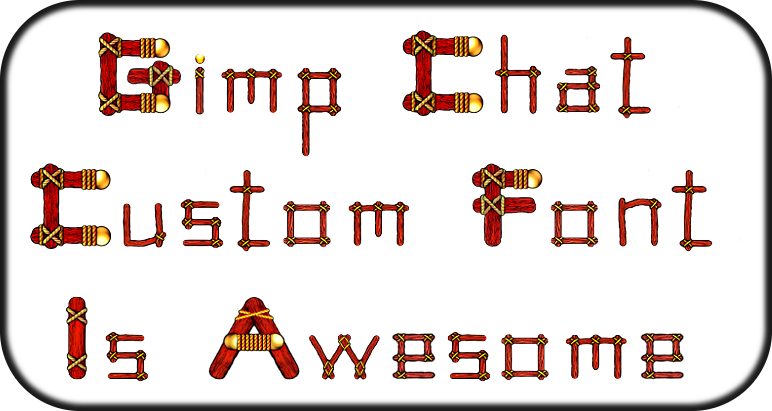
I have written a step-by-step guide
of how to create text like these (aimed at people who are totally new to GIMP).
So they won't be afraid to jump in and start putting these fonts to good use.
-->Creating Decorated Custom Font using Custom Font Script in GIMP
I have linked back to this thread for users to get script and font(s).

_________________
TinT
My GIMP 2.10 plug-in writer Fiverr Gig
Plaid Community Forum
Imageplaid-patterns.com


Last edited by trandoductin on Wed Nov 28, 2018 12:23 pm, edited 1 time in total.

Top
 Post subject: Re: Custom Font script (spawned from Wallace's PhotoFont topic).
PostPosted: Wed Oct 05, 2016 3:15 pm  (#245) 
Offline
GimpChat Member

Joined: May 12, 2015
Posts: 4693
Tin: So now you read minds too? I was thinking last night that we need a guide from beginning to end for those of us that haven't followed this thread religiously. I look today, and there it is!!


Top
 Post subject: Re: Custom Font script (spawned from Wallace's PhotoFont topic).
PostPosted: Wed Oct 05, 2016 3:26 pm  (#246) 
Offline
Script Coder
User avatar

Joined: May 07, 2014
Posts: 4469
Location: Canada
I wish! I don't read minds... :hehe

_________________
TinT
My GIMP 2.10 plug-in writer Fiverr Gig
Plaid Community Forum
Imageplaid-patterns.com


Top
 Post subject: Re: Custom Font script (spawned from Wallace's PhotoFont topic).
PostPosted: Wed Oct 05, 2016 4:44 pm  (#247) 
Offline
Script Coder
User avatar

Joined: May 07, 2014
Posts: 4469
Location: Canada
It's that time of the year soon, candies are in store!

Attachment:
File comment: zipped .xcf font file
MM_candy_decorated_custom_font.zip [1.58 MiB]
Downloaded 613 times

Attachment:
MM_candies_decorated_custom_font_for_gimpchat.png
MM_candies_decorated_custom_font_for_gimpchat.png [ 134.98 KiB | Viewed 1978 times ]

_________________
TinT
My GIMP 2.10 plug-in writer Fiverr Gig
Plaid Community Forum
Imageplaid-patterns.com


Top
 Post subject: Re: Custom Font script (spawned from Wallace's PhotoFont topic).
PostPosted: Wed Oct 05, 2016 9:18 pm  (#248) 
Offline
Script Coder
User avatar

Joined: Feb 18, 2011
Posts: 4826
Location: Bendigo Vic. Australia
I've been testing and all OK
Image
Image

_________________
Image
No matter how much you push the envelope, it'll still be stationery.


Top
 Post subject: Re: Custom Font script (spawned from Wallace's PhotoFont topic).
PostPosted: Wed Oct 05, 2016 9:26 pm  (#249) 
Offline
Script Coder
User avatar

Joined: May 07, 2014
Posts: 4469
Location: Canada
shall we add this as version 13?

_________________
TinT
My GIMP 2.10 plug-in writer Fiverr Gig
Plaid Community Forum
Imageplaid-patterns.com


Top
 Post subject: Re: Custom Font script (spawned from Wallace's PhotoFont topic).
PostPosted: Wed Oct 05, 2016 9:33 pm  (#250) 
Offline
Script Coder
User avatar

Joined: Feb 18, 2011
Posts: 4826
Location: Bendigo Vic. Australia
I'll send my mod to you in a PM for you to check

Edit PM sent

_________________
Image
No matter how much you push the envelope, it'll still be stationery.


Top
 Post subject: Re: Custom Font script (spawned from Wallace's PhotoFont topic).
PostPosted: Wed Oct 05, 2016 10:37 pm  (#251) 
Offline
Script Coder
User avatar

Joined: Feb 18, 2011
Posts: 4826
Location: Bendigo Vic. Australia
Image

_________________
Image
No matter how much you push the envelope, it'll still be stationery.


Last edited by Graechan on Wed Oct 05, 2016 10:41 pm, edited 1 time in total.

Top
 Post subject: Re: Custom Font script (spawned from Wallace's PhotoFont topic).
PostPosted: Wed Oct 05, 2016 10:40 pm  (#252) 
Offline
Script Coder
User avatar

Joined: May 07, 2014
Posts: 4469
Location: Canada
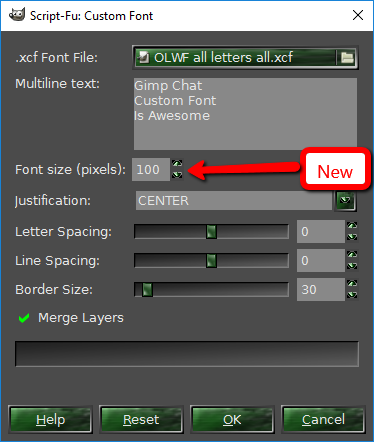
version 13 (specify font size)
Attachment:
custom_font.scm [13.44 KiB]
Downloaded 430 times

Attachment:
MMCandy_Font_with_font_size_spec.png
MMCandy_Font_with_font_size_spec.png [ 86.39 KiB | Viewed 1997 times ]

_________________
TinT
My GIMP 2.10 plug-in writer Fiverr Gig
Plaid Community Forum
Imageplaid-patterns.com


Top
 Post subject: Re: Custom Font script (spawned from Wallace's PhotoFont topic).
PostPosted: Wed Oct 05, 2016 10:48 pm  (#253) 
Offline
Script Coder
User avatar

Joined: May 07, 2014
Posts: 4469
Location: Canada
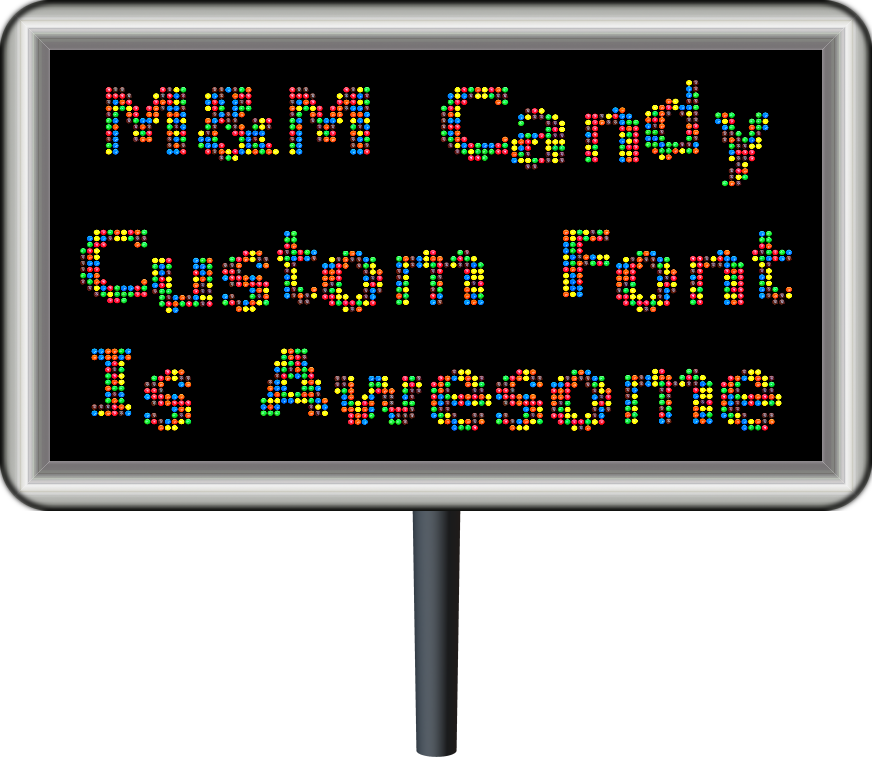
Graechan wrote:
[ Image ]

Nice signage.
I used custom font composition script to create that font.
I doubt many people would dig that deep into custom font related material to even use that one.
I just added layers element1.png element2.png and so on up to number of different color m&ms i think there are 6. Then ran custom font composition walk away from my computer come back in a while for it to compose. When compose i paste all printable characters into the multiline text so it can try to create all the composed characters available to be used by our custom font script.
If you look at the link right after the RGBSphere font, you'll know what i am talking about.

_________________
TinT
My GIMP 2.10 plug-in writer Fiverr Gig
Plaid Community Forum
Imageplaid-patterns.com


Top
 Post subject: Re: Custom Font script (spawned from Wallace's PhotoFont topic).
PostPosted: Thu Oct 06, 2016 2:26 am  (#254) 
Offline
Script Coder
User avatar

Joined: Feb 18, 2011
Posts: 4826
Location: Bendigo Vic. Australia
The Sign is from my billboard script (never finished, never released)

_________________
Image
No matter how much you push the envelope, it'll still be stationery.


Top
 Post subject: Re: Custom Font script (spawned from Wallace's PhotoFont topic).
PostPosted: Thu Oct 06, 2016 8:45 am  (#255) 
Offline
Global Moderator
User avatar

Joined: May 16, 2010
Posts: 16057
trandoductin wrote:
I have written a step-by-step guide
of how to create text like these (aimed at people who are totally new to GIMP).
So they won't be afraid to jump in and start putting these fonts to good use.
-->Creating Decorated Custom Font using Custom Font Script in GIMP
I have linked back to this thread for users to get script and font(s).


Great idea! Thank you and Graechan also for the new update and the new font. :bigthup

_________________
Image


Top
 Post subject: Re: Custom Font script (spawned from Wallace's PhotoFont topic).
PostPosted: Thu Oct 06, 2016 12:27 pm  (#256) 
Offline
Script Coder
User avatar

Joined: May 07, 2014
Posts: 4469
Location: Canada
Graechan wrote:
The Sign is from my billboard script (never finished, never released)

You should release it. It looks done to me. I have a problem keeping files without uploading somewhere because I never know when I'll have to factory reset my pc.

_________________
TinT
My GIMP 2.10 plug-in writer Fiverr Gig
Plaid Community Forum
Imageplaid-patterns.com


Top
 Post subject: Re: Custom Font script (spawned from Wallace's PhotoFont topic).
PostPosted: Sat Oct 15, 2016 10:49 am  (#257) 
Offline
GimpChat Member

Joined: Sep 23, 2016
Posts: 317
I decided to have a go at making a font, but I have a slight problem. The characters are narrower in the image generated by the script than in my xcf file. I used the rectangle select tool to get some approx measurements, they are as follows:

In the xcf file: W 330, H 308
In the script generated image: W206, H 304
ie the aspect ratio of the character has changed. Circles become ovals.

Are there some rules to follow to prevent this? Canvas size, layer sizes, etc. I am using ver 13 of the script.


Top
 Post subject: Re: Custom Font script (spawned from Wallace's PhotoFont topic).
PostPosted: Sat Oct 15, 2016 11:52 am  (#258) 
Offline
Global Moderator
User avatar

Joined: May 16, 2010
Posts: 16057
Blighty II wrote:
I decided to have a go at making a font, but I have a slight problem. The characters are narrower in the image generated by the script than in my xcf file. I used the rectangle select tool to get some approx measurements, they are as follows:

In the xcf file: W 330, H 308
In the script generated image: W206, H 304
ie the aspect ratio of the character has changed. Circles become ovals.

Are there some rules to follow to prevent this? Canvas size, layer sizes, etc. I am using ver 13 of the script.

Which XCF font file are using? It may very well be the layered fonts need to be adjusted correctly. Were still making adjustments and corrections to the actual XCF files that the script utilizes.

MY ADVICE is to duplicate the font file XCF before messing with the next steps!

I found that if you ...
1) Open the XCF font file in GIMP of course
2) Do an Layer>auto-crop all layers (there is a script available for this "autocrop-linked-layers-0.2.py")
This Python file needs to go in your plug-ins folder and will place two new menu items under "Layer"
1) Autocrop all linked layers
2) Autocrop all layers

You will need to do this next step with ALL the characters in the XCF file.
3) Now go to Layer>Layer Boundaries and select center and raise ONLY the height value to the size of your image. My IMAGE is 920 pixels in height yours may be different.
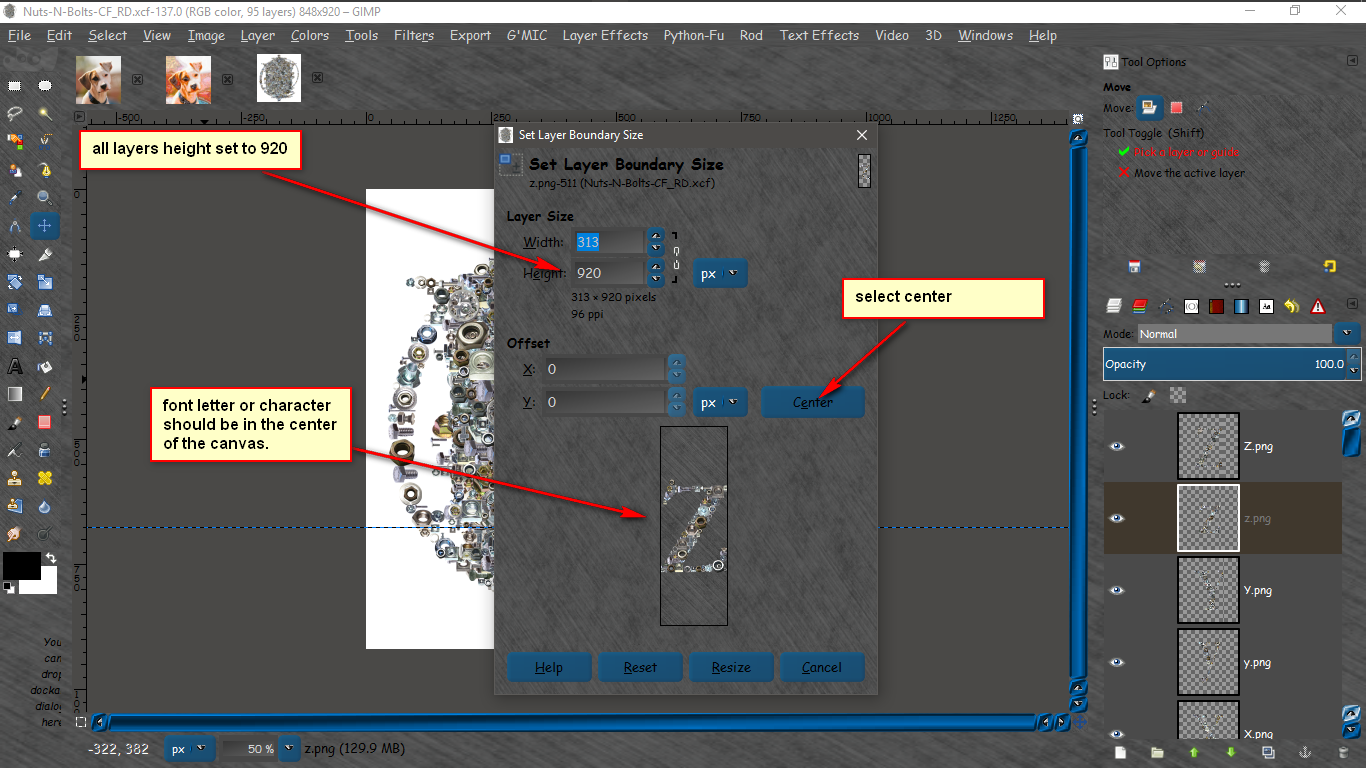
Image

That should fix the re sizing problems. BUT the baselines will still need to be adjusted.
If you screw up the XCF font file just download a new one and try again! :) They are free anyways.

_________________
Image


Top
 Post subject: Re: Custom Font script (spawned from Wallace's PhotoFont topic).
PostPosted: Sat Oct 15, 2016 12:01 pm  (#259) 
Offline
GimpChat Member

Joined: Sep 23, 2016
Posts: 317
Thanks Rod
I am not starting with a font file, I am starting with a blank canvas.
I will have another go following your advice.


Top
 Post subject: Re: Custom Font script (spawned from Wallace's PhotoFont topic).
PostPosted: Sat Oct 15, 2016 12:12 pm  (#260) 
Offline
GimpChat Member

Joined: May 12, 2015
Posts: 4693
Rod, Thank you for the information. I would like to attempt making a font but it looks like a very slow process for me as I am not a coder and have never tried this stuff before. I am up to the challenge once I know what I am to do!
When you font experts have it all figured out, will you write a "Custom Font for Dummies" instruction manual for us "dummies"? That would be perfect for the Resources Thread.


Top
Post new topic Reply to topic  [ 408 posts ]  Go to page Previous  1 ... 10, 11, 12, 13, 14, 15, 16 ... 21  Next

All times are UTC - 5 hours [ DST ]


* Login  


Powered by phpBB3 © phpBB Group