It is currently Fri Jun 26, 2026 12:52 am


All times are UTC - 5 hours [ DST ]


Post new topic Reply to topic  [ 408 posts ]  Go to page Previous  1 ... 11, 12, 13, 14, 15, 16, 17 ... 21  Next
Author Message
 Post subject: Re: Custom Font script (spawned from Wallace's PhotoFont topic).
PostPosted: Sat Oct 15, 2016 1:12 pm  (#261) 
Offline
GimpChat Member

Joined: May 12, 2015
Posts: 4693
Rod: Tried to download autocrop-linked-layers-0.2.py from Sourceforge and it is not
letting me do so. I intermittently have trouble downloading from there for some reason. Can you post the file for me or do you know of another site that I can download from?


Top
 Post subject: Re: Custom Font script (spawned from Wallace's PhotoFont topic).
PostPosted: Sat Oct 15, 2016 1:25 pm  (#262) 
Offline
Global Moderator
User avatar

Joined: May 16, 2010
Posts: 16057
Pat625 wrote:
Rod: Tried to download autocrop-linked-layers-0.2.py from Sourceforge and it is not
letting me do so. I intermittently have trouble downloading from there for some reason. Can you post the file for me or do you know of another site that I can download from?

Sure Pat here is the direct link to Ofnuts files.
https://sourceforge.net/projects/gimp-t ... s/scripts/

I attached the autocrop file in a zipped container for you also. :) You will need to unzip to your plug-ins folder. You will find it under the menu Layer>"autocrop linked layers" AND "autocrop ALL layers"

Attachment:
File comment: Ofnuts autocrop linked or ALL layers script.
autocrop-linked-layers-0.2.zip [1.04 KiB]
Downloaded 79 times

_________________
Image


Top
 Post subject: Re: Custom Font script (spawned from Wallace's PhotoFont topic).
PostPosted: Sat Oct 15, 2016 3:03 pm  (#263) 
Offline
Global Moderator
User avatar

Joined: May 16, 2010
Posts: 16057
Pat625 wrote:
Rod, Thank you for the information. I would like to attempt making a font but it looks like a very slow process for me as I am not a coder and have never tried this stuff before. I am up to the challenge once I know what I am to do!
When you font experts have it all figured out, will you write a "Custom Font for Dummies" instruction manual for us "dummies"? That would be perfect for the Resources Thread.


Really its pretty simple.
1) Open GIMP and create a new text file with all the glyphs. Save this as your new "Font-template.xcf" for future endeavors. :)
2) Open G'MIC and go to Arrays and Tiles>extract Objects
3) Rename each layer according to the glyph ie... a.png , A.png, !.png , ?.png, and even period is "..png"
4) Now design each layer how you want. Perhaps alpha to selection and that selection to path. Now stroke the path with a brush. That is how i made the "Mahvins Christmas Lights" XCF font file. I also made the Grassy Vine font this way. :)
But you can do anything you want to each character and save it as your new font name.xcf.

5) Now just test it in the script "Custom Font" and see what it looks like.
6) Release your new creation to the GIMP user public! :jumpclap
7) Do it again


Thats it. Not hard at all.

You can also open any image of fonts and extract those to new layers and go from there. If you do that though be sure and do an extraction then a "Fit Canvas to Layer Size" . So you don't cut off any images.

_________________
Image


Last edited by Rod on Sat Oct 15, 2016 4:46 pm, edited 1 time in total.

Top
 Post subject: Re: Custom Font script (spawned from Wallace's PhotoFont topic).
PostPosted: Sat Oct 15, 2016 3:04 pm  (#264) 
Offline
Global Moderator
User avatar

Joined: May 16, 2010
Posts: 16057
Blighty II wrote:
Thanks Rod
I am not starting with a font file, I am starting with a blank canvas.
I will have another go following your advice.


Best way to start is to open a template already created for the script. Keep it as a TEXT layer XCF and use it every time. This saves time on layer naming. That way you can open the template, change the font layer to whatever font face you wish to use as a backing, and go from there. Many options.

_________________
Image


Top
 Post subject: Re: Custom Font script (spawned from Wallace's PhotoFont topic).
PostPosted: Sun Oct 16, 2016 7:10 am  (#265) 
Offline
GimpChat Member

Joined: Sep 23, 2016
Posts: 317
I have again been playing with this script and my problem of the characters becoming narrower in the generated image.

What I did:
1. Created a small test xcf with just 3 characters (ABC).
2. Auto cropped each layer, saved.
3. Used the script to generate the 3 characters.
The characters become narrower in the generated image. For example the aspect ratio of a character changes from 1.10 to 1.49.

Now I left the width of each layer unchanged, but changed the height to the height of the canvas. An increase in height of about 50%. No change from the auto cropped layers.

So I decided to check some fonts from Gimp Chat. I downloaded and checked Blue Ceramic, Old Lashed Wood and M&Ms. These are the same, the characters become narrower. Much more noticeable in the M&Ms because the shapes change from round to oval.

Is this just my installation of Gimp, or can others also notice this narrowing?


Top
 Post subject: Re: Custom Font script (spawned from Wallace's PhotoFont topic).
PostPosted: Sun Oct 16, 2016 2:30 pm  (#266) 
Offline
Global Moderator
User avatar

Joined: May 16, 2010
Posts: 16057
Blighty II wrote:
I have again been playing with this script and my problem of the characters becoming narrower in the generated image.

What I did:
1. Created a small test xcf with just 3 characters (ABC).
2. Auto cropped each layer, saved.
3. Used the script to generate the 3 characters.
The characters become narrower in the generated image. For example the aspect ratio of a character changes from 1.10 to 1.49.

Now I left the width of each layer unchanged, but changed the height to the height of the canvas. An increase in height of about 50%. No change from the auto cropped layers.

So I decided to check some fonts from Gimp Chat. I downloaded and checked Blue Ceramic, Old Lashed Wood and M&Ms. These are the same, the characters become narrower. Much more noticeable in the M&Ms because the shapes change from round to oval.

Is this just my installation of Gimp, or can others also notice this narrowing?

Yes i notice this also in each font file. It has to be the way the fonts are aligned in the xcf file itself. I doubt its a bug in the script itself. Try this.
When you open the script change the font size to the exact size of the characters you made. If you used font size 480 use value of 480 ect..ect
See if that makes a difference in rendering.

Also have you tried adding the path in the xcf you create? Create a path layer same name as the actual character layer A.png = A.png for path layer name.
Now create a path the exact width of the character (width of layer boundary), and center it also. Save and re run the script.

_________________
Image


Top
 Post subject: Re: Custom Font script (spawned from Wallace's PhotoFont topic).
PostPosted: Sun Oct 16, 2016 3:10 pm  (#267) 
Offline
GimpChat Member

Joined: Sep 23, 2016
Posts: 317
Rod wrote:
Yes i notice this also in each font file. It has to be the way the fonts are aligned in the xcf file itself. I doubt its a bug in the script itself. Try this.
When you open the script change the font size to the exact size of the characters you made. If you used font size 480 use value of 480 ect..ect
See if that makes a difference in rendering.

Also have you tried adding the path in the xcf you create? Create a path layer same name as the actual character layer A.png = A.png for path layer name.
Now create a path the exact width of the character (width of layer boundary), and center it also. Save and re run the script.


I did the following:
1. Set the font size to the auto-cropped height of a character.
2. Set the font size to the canvas height.
3. Created a path across one character (single horizontal line) named the same as the character.
Nothing changed, characters still narrower in generated image.


Top
 Post subject: Re: Custom Font script (spawned from Wallace's PhotoFont topic).
PostPosted: Sun Oct 16, 2016 3:13 pm  (#268) 
Offline
Global Moderator
User avatar

Joined: May 16, 2010
Posts: 16057
Actually they get taller and thinner :lol. I tried everything to get the XCF font file correct for width and height and it must be the script the way it places the characters because it is squishing them no matter what i do. :)

Tran we need your guidance please. Perhaps you could release a new version that allows the user to choose an image size?

_________________
Image


Top
 Post subject: Re: Custom Font script (spawned from Wallace's PhotoFont topic).
PostPosted: Sun Oct 16, 2016 3:35 pm  (#269) 
Offline
Script Coder
User avatar

Joined: May 07, 2014
Posts: 4469
Location: Canada
give me an example .xcf font file where no paths are defined and i'll see what's up.

I just used MareroQ's script Font To Layers script it produces layers that are all the same height with variable widths depending on the character..and that seems okay.
Make sure your layer's heights are all the same, so letter a will have to include some transparent space at bottom so that it would line up with the y which will have the same height.

_________________
TinT
My GIMP 2.10 plug-in writer Fiverr Gig
Plaid Community Forum
Imageplaid-patterns.com


Top
 Post subject: Re: Custom Font script (spawned from Wallace's PhotoFont topic).
PostPosted: Mon Oct 17, 2016 3:29 am  (#270) 
Offline
GimpChat Member

Joined: Sep 23, 2016
Posts: 317
trandoductin wrote:
give me an example .xcf font file where no paths are defined and i'll see what's up.


I have created 3 small demos. I have used tinyupload to upload them.

Demo1 (ABC)
auto-cropped
xcf file:
http://s000.tinyupload.com/?file_id=031 ... 1617451172
png file:
http://s000.tinyupload.com/?file_id=302 ... 8413712776

Demo2 (AaFfGg)
auto-cropped
xcf file:
http://s000.tinyupload.com/?file_id=458 ... 7238671063
png file:
http://s000.tinyupload.com/?file_id=231 ... 9101582434

Demo3 (AaFfGg)
width cropped, layer height set to image height
xcf:
http://s000.tinyupload.com/?file_id=440 ... 5879933602
png:
http://s000.tinyupload.com/?file_id=234 ... 4282728569

Files are about 20k each

Just a thought:
Rod asked me to draw a path across a character and set path name to layer name (eg A.png). Does this script call some path script that I do not have on my computer?


Top
 Post subject: Re: Custom Font script (spawned from Wallace's PhotoFont topic).
PostPosted: Mon Oct 17, 2016 2:30 pm  (#271) 
Offline
Script Coder
User avatar

Joined: May 07, 2014
Posts: 4469
Location: Canada
Blighty II wrote:
trandoductin wrote:
give me an example .xcf font file where no paths are defined and i'll see what's up.


I have created 3 small demos. I have used tinyupload to upload them.

Demo1 (ABC)
auto-cropped
xcf file:
http://s000.tinyupload.com/?file_id=031 ... 1617451172
png file:
http://s000.tinyupload.com/?file_id=302 ... 8413712776

Demo2 (AaFfGg)
auto-cropped
xcf file:
http://s000.tinyupload.com/?file_id=458 ... 7238671063
png file:
http://s000.tinyupload.com/?file_id=231 ... 9101582434

Demo3 (AaFfGg)
width cropped, layer height set to image height
xcf:
http://s000.tinyupload.com/?file_id=440 ... 5879933602
png:
http://s000.tinyupload.com/?file_id=234 ... 4282728569

Files are about 20k each

Just a thought:
Rod asked me to draw a path across a character and set path name to layer name (eg A.png). Does this script call some path script that I do not have on my computer?


Demo 3 looks good i don't see anything wrong with it. And no you don't have to have another path script it doesn't use any other script. But you only need to define a path horizontally if your letters have decorations hang out on the left/right that makes the script think it's wider than it is, if you font is just text then then the layer's width already define the character's width so you don't need to draw a path(s) to define how wide they are or where they are located.

_________________
TinT
My GIMP 2.10 plug-in writer Fiverr Gig
Plaid Community Forum
Imageplaid-patterns.com


Top
 Post subject: Re: Custom Font script (spawned from Wallace's PhotoFont topic).
PostPosted: Mon Oct 17, 2016 4:35 pm  (#272) 
Offline
GimpChat Member

Joined: Sep 23, 2016
Posts: 317
trandoductin wrote:
Demo 3 looks good i don't see anything wrong with it.


The aspect ratio of the characters change.
I measured the aspect ratio of the A in Demo3. In the xcf file it is 1:0.91; in the png it is 1:1.09. ie characters become taller/narrower. Similar for Demo 1 & 2. Not noticeable in most fonts, but can be seen in some cases. eg in the M&M font the M&Ms are circular in the xcf but oval in the generated image.


Top
 Post subject: Re: Custom Font script (spawned from Wallace's PhotoFont topic).
PostPosted: Mon Oct 17, 2016 5:09 pm  (#273) 
Offline
Script Coder
User avatar

Joined: May 07, 2014
Posts: 4469
Location: Canada
Man, that's a good catch.
Here's version 14 it'll keep aspect ratio.
I'll update/add to first post as well
Attachment:
custom_font.scm [13.95 KiB]
Downloaded 466 times

_________________
TinT
My GIMP 2.10 plug-in writer Fiverr Gig
Plaid Community Forum
Imageplaid-patterns.com


Top
 Post subject: Re: Custom Font script (spawned from Wallace's PhotoFont topic).
PostPosted: Fri Oct 21, 2016 10:48 pm  (#274) 
Offline
Administrator
User avatar

Joined: Aug 10, 2012
Posts: 14076
Location: Native to NYC living in Arizona, Gimp 2.8 - 3.0, Win 11 PC.
I finished this font,
but I'm having issues with setting it up to work properly with the Custom Font script.
Image

Attachment:
Rainflow_2.png
Rainflow_2.png [ 538.93 KiB | Viewed 2425 times ]


If anyone wishes to tackle making the font xcf file,
please feel free to do so.


I made a test of this font and it's seems to render out very distorted.
Not as crisp, with the rounded off edges.

Image

_________________
Image
"A wise man learns more from a foolish question than a fool can learn from a wise answer"
Image


Top
 Post subject: Re: Custom Font script (spawned from Wallace's PhotoFont topic).
PostPosted: Fri Oct 21, 2016 11:16 pm  (#275) 
Offline
Global Moderator
User avatar

Joined: May 16, 2010
Posts: 16057
I see the problem with the script now. It doesn't allow overlap of transparent areas. It lines every character up according to border width. Tran is there a way to allow overlap of layer cells? Setting kerning isn't going to work because all the other letters are already close as you can see in my example image below.

Image

Image

The XCF font file is attached Wallace. :)

Attachment:
Rainflow_2.xcf [902.9 KiB]
Downloaded 156 times

_________________
Image


Top
 Post subject: Re: Custom Font script (spawned from Wallace's PhotoFont topic).
PostPosted: Fri Oct 21, 2016 11:30 pm  (#276) 
Offline
Script Coder
User avatar

Joined: May 07, 2014
Posts: 4469
Location: Canada
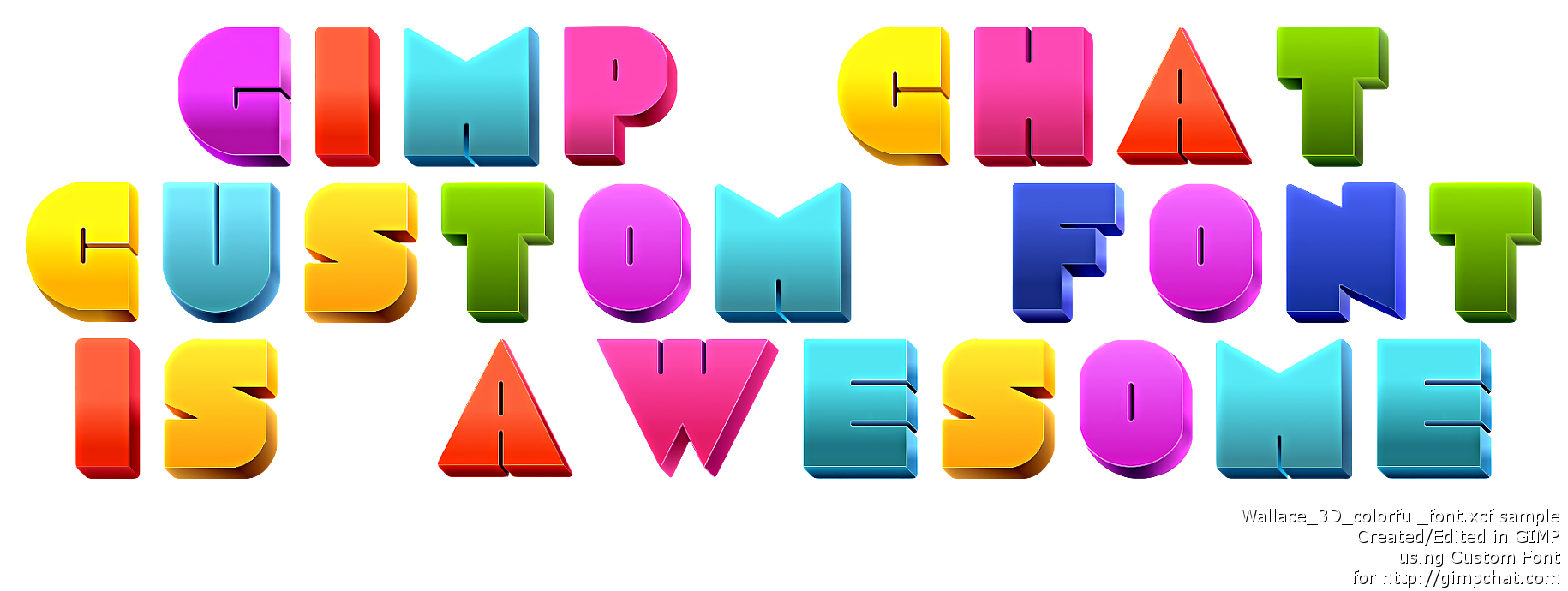
Here's the .xcf.
I was really quickly done with the help of "Break apart by alpha"
Attachment:
Wallace_3D_colorful_font.xcf [940.15 KiB]
Downloaded 95 times


Image

_________________
TinT
My GIMP 2.10 plug-in writer Fiverr Gig
Plaid Community Forum
Imageplaid-patterns.com


Top
 Post subject: Re: Custom Font script (spawned from Wallace's PhotoFont topic).
PostPosted: Fri Oct 21, 2016 11:31 pm  (#277) 
Offline
Administrator
User avatar

Joined: Aug 10, 2012
Posts: 14076
Location: Native to NYC living in Arizona, Gimp 2.8 - 3.0, Win 11 PC.
Rod wrote:
I see the problem with the script now. It doesn't allow overlap of transparent areas. It lines every character up according to border width. Tran is there a way to allow overlap of layer cells? Setting kerning isn't going to work because all the other letters are already close as you can see in my example image below.

[ Image ]

[ Image ]

The XCF font file is attached Wallace. :)

Attachment:
The attachment Rainflow_2.xcf is no longer available

That looks very crisp and clean. :bigthup
How did you get it so crisp?

I did an even cleaning render of the this font and here's the image.
Attachment:
Rainflow_2.1.png
Rainflow_2.1.png [ 454.85 KiB | Viewed 2413 times ]

_________________
Image
"A wise man learns more from a foolish question than a fool can learn from a wise answer"
Image


Top
 Post subject: Re: Custom Font script (spawned from Wallace's PhotoFont topic).
PostPosted: Fri Oct 21, 2016 11:34 pm  (#278) 
Offline
Script Coder
User avatar

Joined: May 07, 2014
Posts: 4469
Location: Canada
you can't not with my script.
you can only change the width of character by defining a path with the same name. but that won't tell it to only overlap when there is a W after it or special cases like that.
I think with real fonts there's a way to define those cases in code some how not sure though.

_________________
TinT
My GIMP 2.10 plug-in writer Fiverr Gig
Plaid Community Forum
Imageplaid-patterns.com


Top
 Post subject: Re: Custom Font script (spawned from Wallace's PhotoFont topic).
PostPosted: Fri Oct 21, 2016 11:37 pm  (#279) 
Offline
Script Coder
User avatar

Joined: May 07, 2014
Posts: 4469
Location: Canada
Wallace wrote:
Rod wrote:
I see the problem with the script now. It doesn't allow overlap of transparent areas. It lines every character up according to border width. Tran is there a way to allow overlap of layer cells? Setting kerning isn't going to work because all the other letters are already close as you can see in my example image below.

[ Image ]

[ Image ]

The XCF font file is attached Wallace. :)

Attachment:
Rainflow_2.xcf

That looks very crisp and clean. :bigthup
How did you get it so crisp?

I did an even cleaning render of the this font and here's the image.
Attachment:
Rainflow_2.1.png


I didn't do anything to it.
I just broke a part by alpha change canvas size to be 20px wider 20px taller and center them all and selected the whole canvas with rectangle select
then used "Layers auto crop resize to selection height"
and renamed layers to a.png .... and so on added a blank space.png
and that's it i didn't change any content.

EDIT: whoops you were talking about Rod's hehe

_________________
TinT
My GIMP 2.10 plug-in writer Fiverr Gig
Plaid Community Forum
Imageplaid-patterns.com


Last edited by trandoductin on Fri Oct 21, 2016 11:40 pm, edited 1 time in total.

Top
 Post subject: Re: Custom Font script (spawned from Wallace's PhotoFont topic).
PostPosted: Fri Oct 21, 2016 11:38 pm  (#280) 
Offline
Administrator
User avatar

Joined: Aug 10, 2012
Posts: 14076
Location: Native to NYC living in Arizona, Gimp 2.8 - 3.0, Win 11 PC.
trandoductin wrote:
Here's the .xcf.
I was really quickly done with the help of "Break apart by alpha"
Attachment:
Wallace_3D_colorful_font.xcf


[ Image ]

The Break apart by alpha,
rounds off the edges of the font.
Making it rounded ,
instead of how it was designed,
as a sharp edged font.
I'm guess it should be done without using Break apart by alpha.
To have the font edges not rounded off?

_________________
Image
"A wise man learns more from a foolish question than a fool can learn from a wise answer"
Image


Top
Post new topic Reply to topic  [ 408 posts ]  Go to page Previous  1 ... 11, 12, 13, 14, 15, 16, 17 ... 21  Next

All times are UTC - 5 hours [ DST ]


* Login  


Powered by phpBB3 © phpBB Group