Allech wrote:
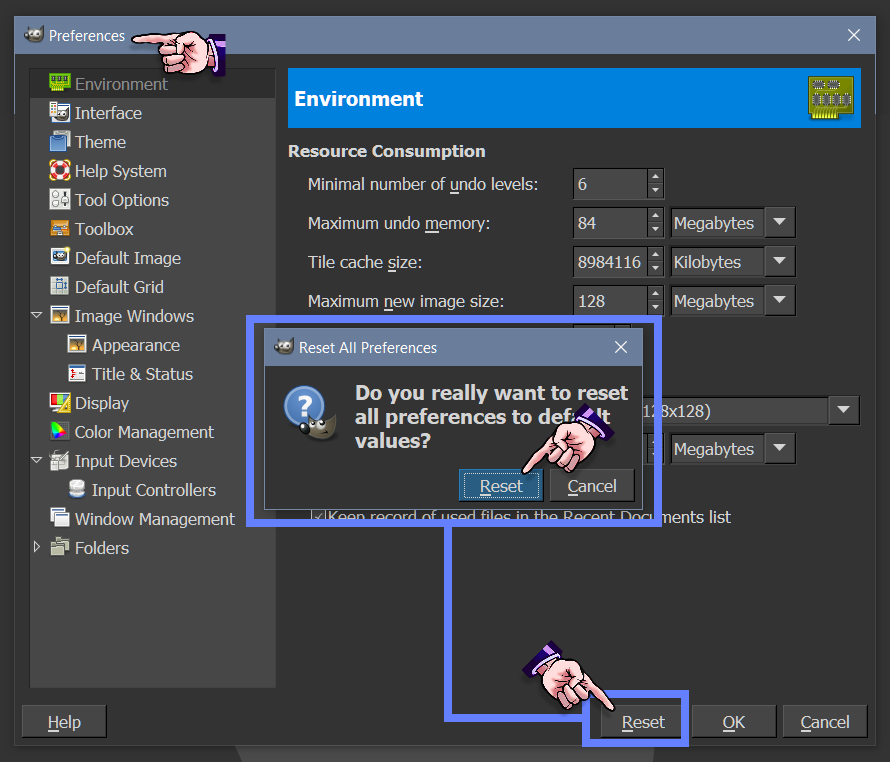
Yes, I just did. Didn't work. And, I don't really know how to start a new profile on GimP?
Quote ..Just installed the most recent version of GimP, so, no plugins whatsoever.
Then it does not matter if you save your existing Gimp profile or not

Go to C:\Users\your-name\AppData\Roaming\GIMP\2.10 and delete the folder 2.10 - that is your Gimp profile
Start up Gimp and a new default profile is created.
However. That is probably not the basic problem.
Gimp 2.10 will copy resources and
settings from any existing Gimp 2.8 profile. To prevent that
rename your old Gimp 2.8 profile from C:\Users\"yourname"\.gimp-2.8 to maybe C:\Users\"yourname"\.ggimp-2.8 Just enough so it is not recognised.
If you are still having problems with the graphics tablet then the settings are held in the file
C:\Users\your-name\AppData\Roaming\GIMP\2.10\devicerc Deleting that will let Gimp create a new default on next restart.
 Login
 Register
 Tweets
 FAQ
 Advanced Search