iggy wrote:
Nidhogg wrote:
You might have had them in the home/.fonts on Linux?
If you don't want to clutter your system fonts folder or need them just for Gimp, I'd use the C:/users/yourusername/.gimp2.8/fonts folder.
Need more control?
Use the AddonCollectionManager-3.0.py
https://sourceforge.net/projects/gimp-t ... s/scripts/Thanks Nidgogg. I've got the GIMP part in Linux figured out. I have all the fonts in a file and put them on my Windows computer's Desktop. But I can't figure out how to get them into GIMP (on Windows) from there.
Thanks for the ofnuts link. I bookmarked it. Wow, that will take some exploring.
You're welcome. You will find that it's very easy to set the AddonCollectionManager if you want to use it. Takes 2 minutes.
I told you where the equivalent Gimp 2.8 user folder on Windows machine is located, if you rather dropped the fonts straight there.
If you have lot of additional fonts, and they play a major role in your editing, then I suggest the AddonCollectionManager so that you can load any themed folder instead of installing hundreds of fonts in the Windows system fonts folder.
Does not really matter in a case with lots of RAM, but I always like to organize my fonts well and load in the memory only the ones I need.
Habit from work, done vector editing and typesetting for living.
One thing I never thought, was that will Gimp remember the font in a .xcf file if you open it later without having the font anymore.
Testing this....and yes it does. When you hover mouse over the font selection field in editor, it says that my font is missing. At least on 2.10 but my guess is that this was featured already in earlier versions.
So that won't be a problem either, if you don't want to use C:/Windows/fonts.
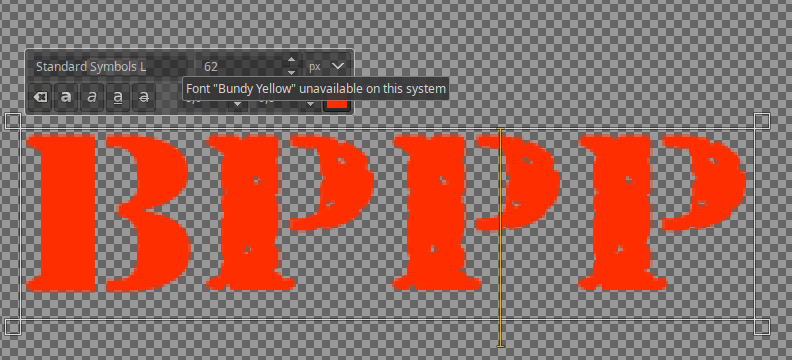
But you'll find your solution.

 Login
 Register
 Tweets
 FAQ
 Advanced Search







 Video from :




 This was really driving me batty. So I found the Fonts folder and was able to add to it. I was watching some of the ofnuts add-on collection video. So that allows you to add folders with font sets in them? Is there any way to delete fonts with it? (As I understand it, there is basically no way to delete fonts.) Thanks again.
