Norseman143 wrote:
Thanks for such a fast reply. So there isnt a way to just open a program file where it lists all the installed programs? Anyway, I am happy with Mint so far it seems like Gimp runs a lot faster than with Windows. I got the Gimp from there programs loaded with Mint so I am not sure what version I have. But I will copy what you wrote and use it as a refrance.I was playing around with it the other day and forgot how to do some of the most basic things that I have done a thousand times I guess you get rusty after 2 years.......Thanks again
Nothing like a couple of screenshots

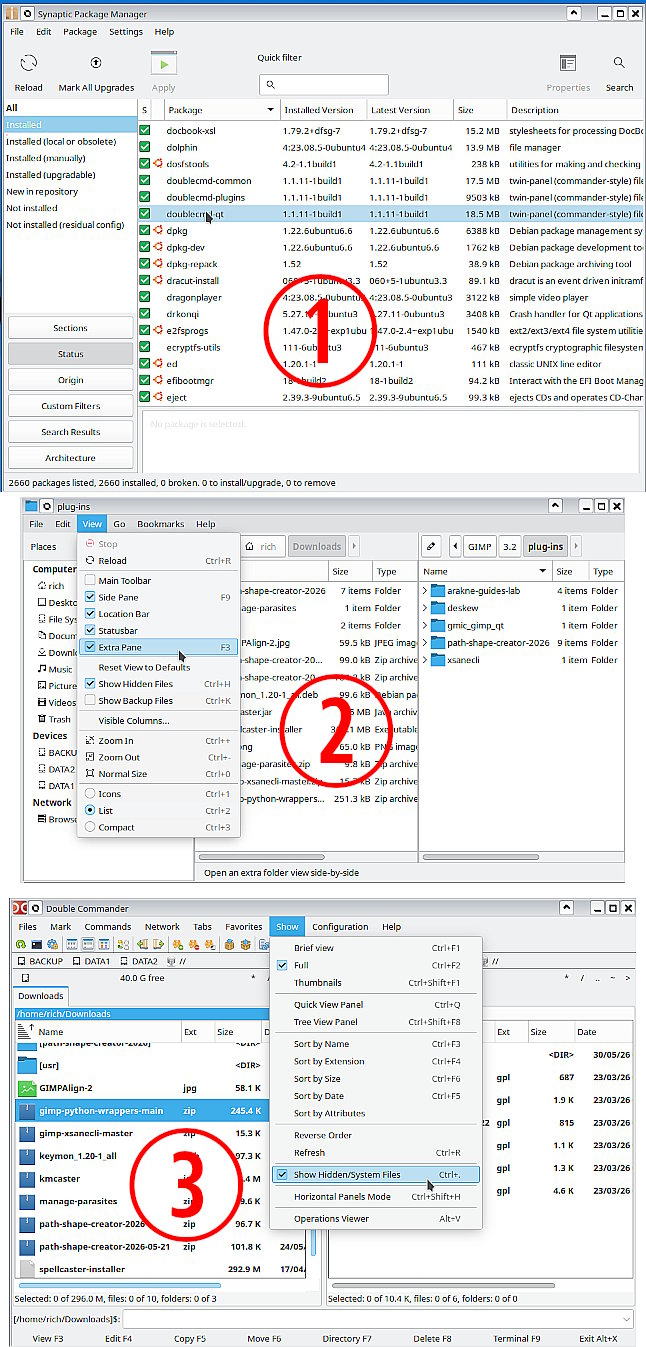
A long time linux user, just now reconfiguring a laptop with Mint 22.3 and as far as I recall Synaptic Package manager still comes as a default. That will list everything installed and other things as well. (1)
Loading resources into Gimp - nothing special The shortcut for your home folder is ~ and it is a hidden folder - starts with a /. so it is ~/.config/GIMP/3.2/
The standard file managers are nothing special (2) Get something better, there is DoubleCommander (3) in the repo. I am KDE user so I use krusader.
Attachment:
 mint22.jpg [ 262.18 KiB | Viewed 10788 times ]
This is a Gimp forum, so where to get Gimp. The repo supplies Gimp 2.10.36 Nothing bad about that. Your old python plugins and script-fu work. They do not work with Gimp 3. I know flatpaks are popular and there is an official appimage but the best place for Gimp 3 is the ubuntu PPA
https://launchpad.net/~ubuntuhandbook1/ ... ntu/gimp-3 Login
Login Register
 Tweets
 FAQ
FAQ Advanced Search



