It is currently Thu Nov 05, 2026 7:40 am


All times are UTC - 5 hours [ DST ]


Post new topic Reply to topic  [ 5 posts ] 
Author Message
 Post subject: 2D to 3D Conversion Using G'MIC
PostPosted: Tue Mar 26, 2013 9:05 pm  (#1) 
Offline
Administrator
User avatar

Joined: Aug 10, 2012
Posts: 14259
Location: Native to NYC living in Arizona, Gimp 2.8 - 3.0, Win 11 PC.
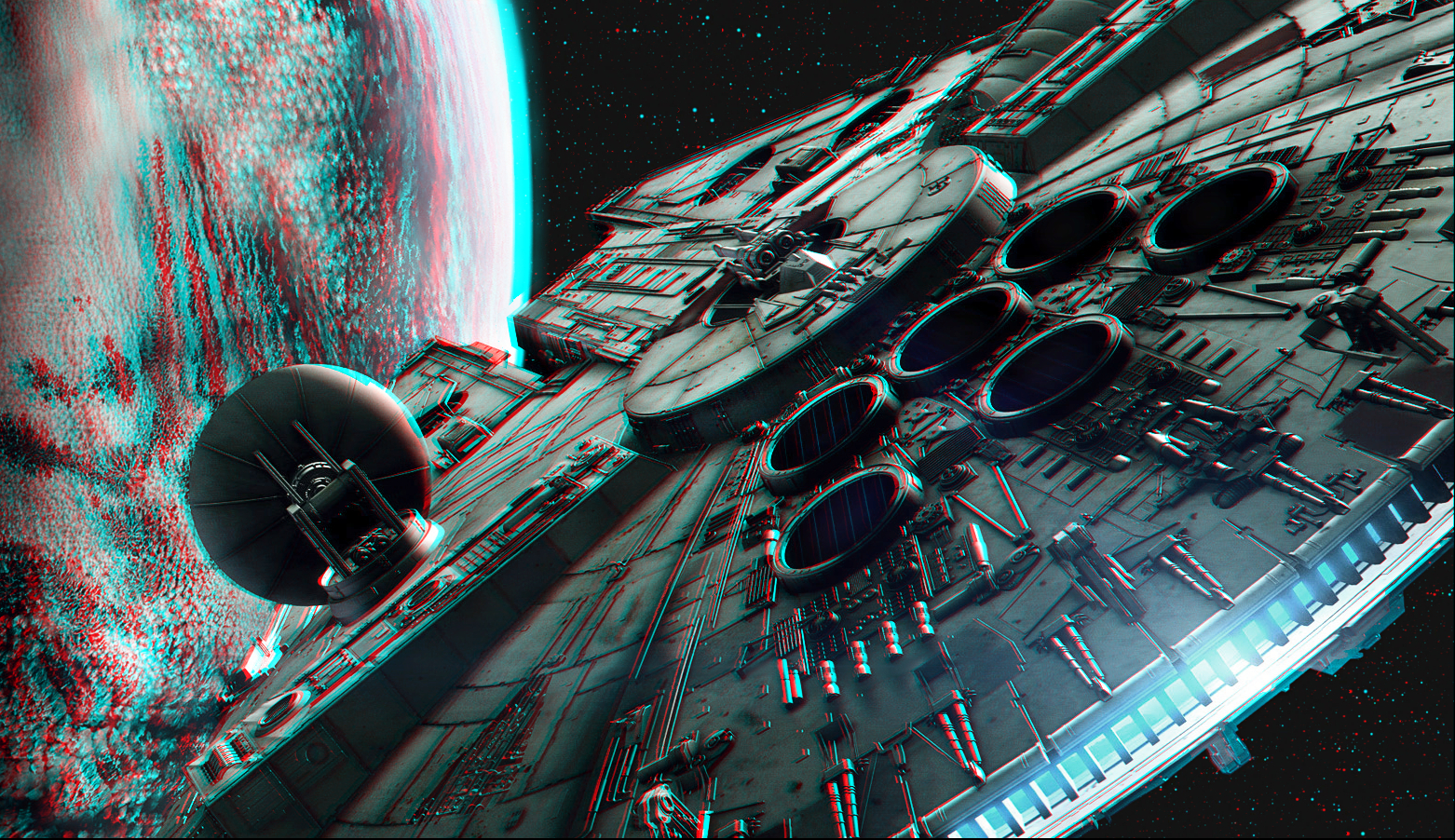
Millennium Falcon anaglyph image created using G'MIC. You need a pair of Red/Cyan anaglyph 3-D glasses to view the 3D effect.

Image Viewing Tip

Place your red/cyan 3D glasses on your face, (by, around and or near where your eyes are, on that thing just above your shoulders) so that the "red" (red) lens is over your "left" (that's the eye opposite from your right eye) eye and the "cyan" (blue) lens is over your "right" (that's the eye opposite from your left eye) eye, stand back a bit from the monitor and you'll notice the 3D effect much better.

For those suffering for 'vertigo' or any other disorientating aliment, please consult you physician before viewing.

WHAT!!! You don't have a pair of "red/cyan" anaglyph 3-D glasses?

Well, here's a link to where you can get yourself a free pair of red/cyan 3-D glasses @... http://www.rainbowsymphony.com/free-3d-glasses.html That's how I got mine.

Or, if you send a self-addressed stamped envelope (SASE) to:

Rainbow Smphony, Inc.,
6860 Canby Ave. Suite 120 •
Reseda · CA · 91335

And request a pair of free Red/Cyan anaglyph 3-D glasses (in writing Of course) they'll send them to you.
I sent for them and they arrived within 3 days.
SORRY USA Only...

Please review this ACCIDENT WAIVER claim form before viewing this or any other 3D anaglyph image with Red/Cyan anaglyph 3-D glasses...http://www.usiale.org/lasvegas2004/forms/waiver.pdf
Image

If you would like to view all the 3D images I have made with G'MIC, you can check them all out here @... http://geosammy.deviantart.com/gallery/34447420

_________________
Image
"A wise man learns more from a foolish question than a fool can learn from a wise answer"
Image


Last edited by Wallace on Tue Mar 26, 2013 10:12 pm, edited 7 times in total.

Share on Facebook Share on Twitter Share on Orkut Share on Digg Share on MySpace Share on Delicious Share on Technorati
Top
 Post subject: Re: 3D Conversion Using G'MIC
PostPosted: Tue Mar 26, 2013 9:08 pm  (#2) 
Offline
GimpChat Member
User avatar

Joined: Jul 17, 2012
Posts: 2769
the force is strong in this one


Top
 Post subject: Re: 3D Conversion Using G'MIC
PostPosted: Tue Mar 26, 2013 9:10 pm  (#3) 
Offline
Administrator
User avatar

Joined: Aug 10, 2012
Posts: 14259
Location: Native to NYC living in Arizona, Gimp 2.8 - 3.0, Win 11 PC.
Esper wrote:
the force is strong in this one


:hehe

_________________
Image
"A wise man learns more from a foolish question than a fool can learn from a wise answer"
Image


Top
 Post subject: Re: 2D to 3D Conversion Using G'MIC
PostPosted: Tue Mar 26, 2013 9:24 pm  (#4) 
Offline
GimpChat Member
User avatar

Joined: Nov 16, 2011
Posts: 5127
Location: Metro Vancouver, BC
I'll have to give this a go, How to Make Your Own 3D Glasses at Home.

_________________
Image
Gimp 2.8.18, Linux, median user
Gimp Chat Tutorials Index
Spirit Bear (Kermode)


Top
 Post subject: Re: 2D to 3D Conversion Using G'MIC
PostPosted: Tue Mar 26, 2013 9:31 pm  (#5) 
Offline
Administrator
User avatar

Joined: Aug 10, 2012
Posts: 14259
Location: Native to NYC living in Arizona, Gimp 2.8 - 3.0, Win 11 PC.
Odinbc wrote:
I'll have to give this a go, How to Make Your Own 3D Glasses at Home.


@ Odin,

I've seen this and can't recommend doing this, but if all else fails, by all means go for it. :hehe

_________________
Image
"A wise man learns more from a foolish question than a fool can learn from a wise answer"
Image


Top
Post new topic Reply to topic  [ 5 posts ] 

All times are UTC - 5 hours [ DST ]


* Login  


Powered by phpBB3 © phpBB Group