Millennium Falcon anaglyph image created using G'MIC. You need a pair of Red/Cyan anaglyph 3-D glasses to view the 3D effect.
Image Viewing Tip
Place your red/cyan 3D glasses on your face,
(by, around and or near where your eyes are, on that thing just above your shoulders) so that the "red" (red) lens is over your "left"
(that's the eye opposite from your right eye) eye and the "cyan" (blue) lens is over your "right"
(that's the eye opposite from your left eye) eye, stand back a bit from the monitor and you'll notice the 3D effect much better.
For those suffering for 'vertigo' or any other disorientating aliment, please consult you physician before viewing.WHAT!!! You don't have a pair of "red/cyan" anaglyph 3-D glasses?
Well, here's a link to where you can get yourself a free pair of red/cyan 3-D glasses @...
http://www.rainbowsymphony.com/free-3d-glasses.html That's how I got mine.
Or, if you send a self-addressed stamped envelope (SASE) to:
Rainbow Smphony, Inc.,
6860 Canby Ave. Suite 120 •
Reseda · CA · 91335
And request a pair of free Red/Cyan anaglyph 3-D glasses (in writing Of course) they'll send them to you.
I sent for them and they arrived within 3 days.
SORRY USA Only...
Please review this ACCIDENT WAIVER claim form before viewing this or any other 3D anaglyph image with Red/Cyan anaglyph 3-D glasses...http://www.usiale.org/lasvegas2004/forms/waiver.pdf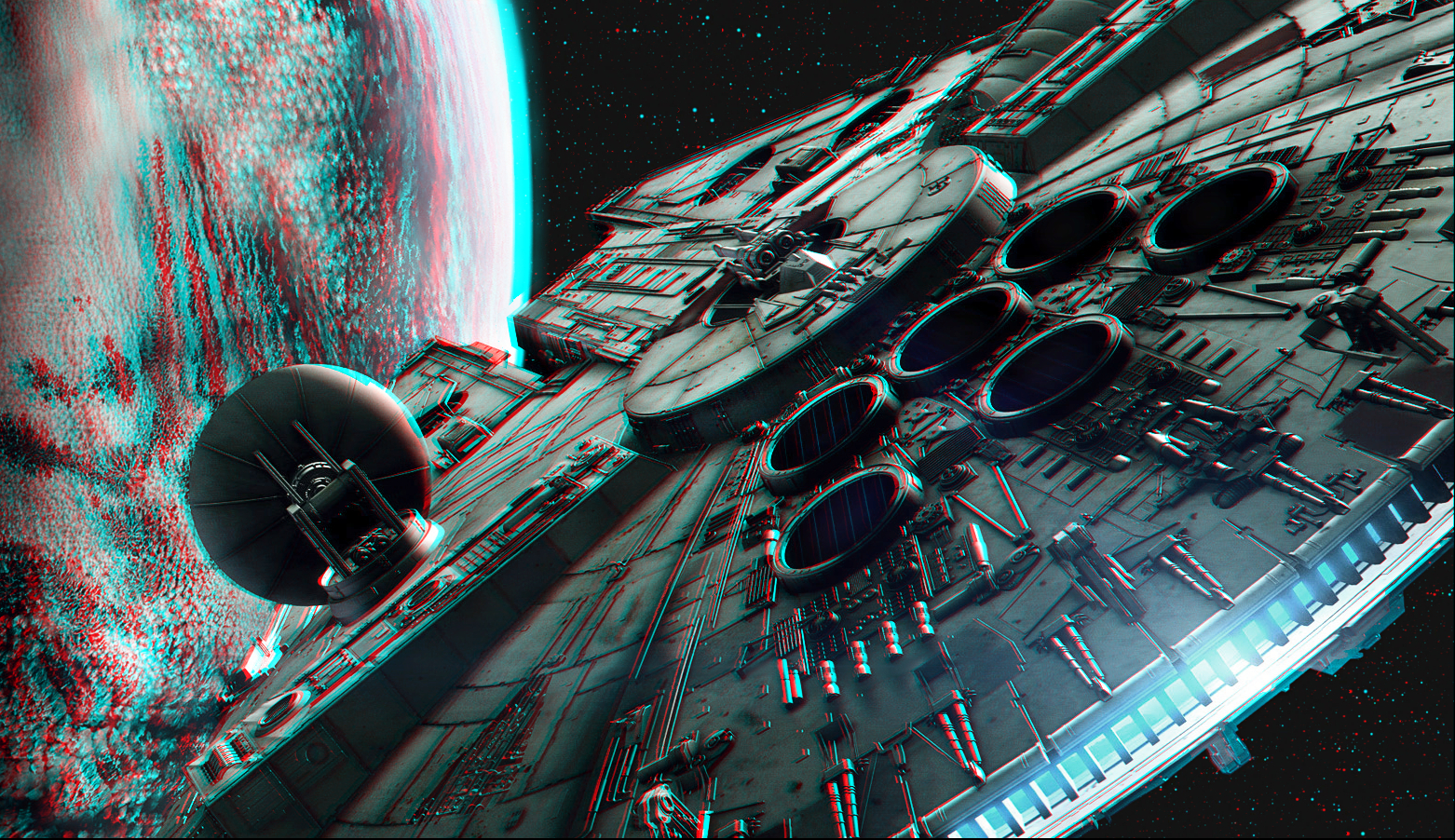
If you would like to view all the 3D images I have made with G'MIC, you can check them all out here @...
http://geosammy.deviantart.com/gallery/34447420 Login
 Register
 Tweets
 FAQ
 Advanced Search