Jatra wrote:
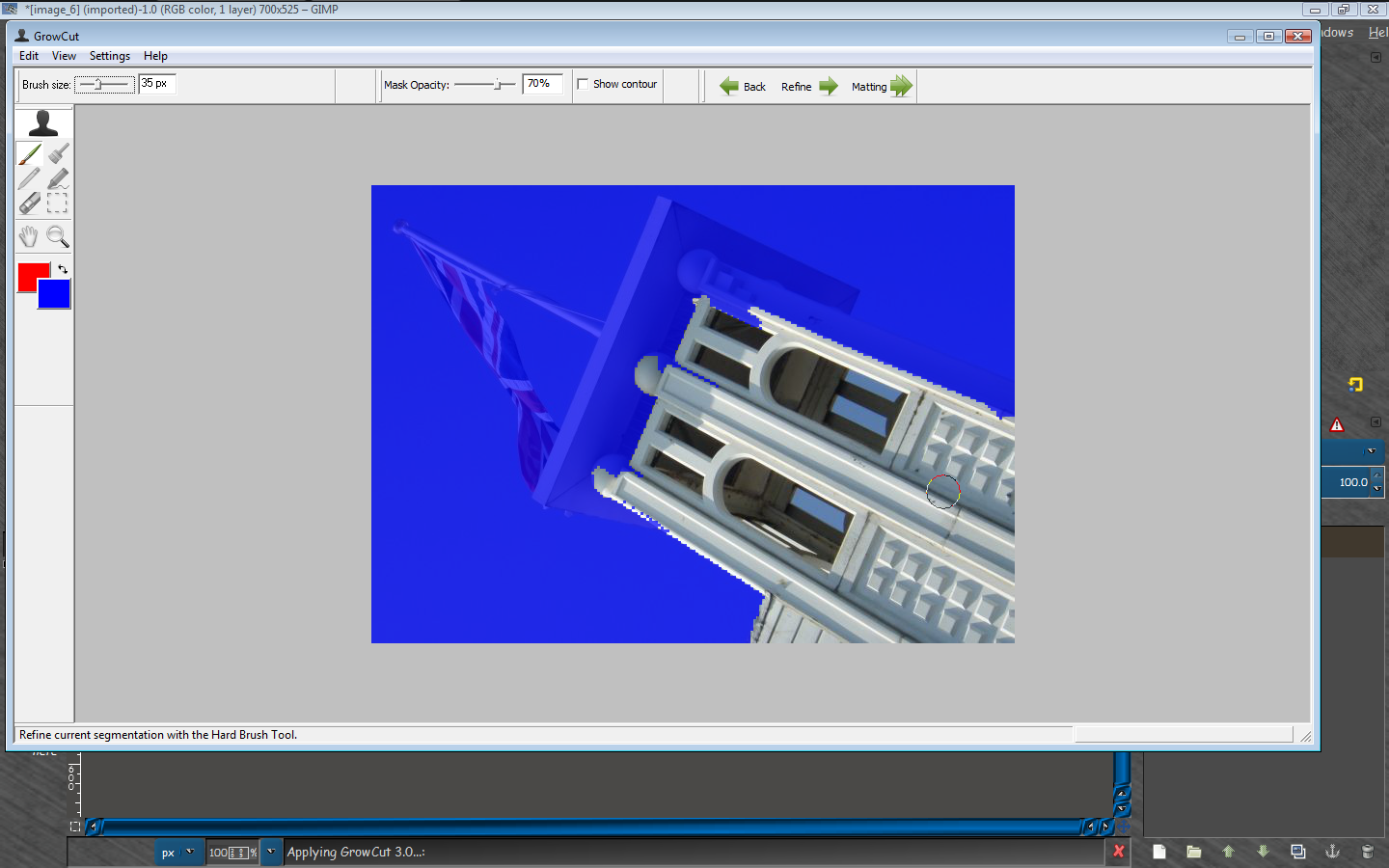
Once again Rod, how to use Matting tools to replace the background. I usually use GML matting.
[
Image ]
Same way you use the old fg color select tool.

Select the matting tool
Make a selection (roughly), around the rendered (FG) area you want cut out.
Release the mouse button after selection is complete and you now can adjust the brush size to brush in FG area.
Brush over the COLORS in the image you want taken as FG.
Refine as needed. I find normally brushing just to the edge of the FG mask will get pretty good results.
The matting tool calculates (including partially transparent pixels), the colors you painted over.
If needed use a very small brush to get a real good refined FG selection.
Release the mouse button after painting FG colors and the tool calculates FG selection.
Select ENTER if you are happy with the selection and the FG will be extracted to a new layer.
YouTube Video
Hope that helps.

 Login
Login Register
 Tweets
 FAQ
FAQ Advanced Search











 Video from :